> ## Documentation Index
> Fetch the complete documentation index at: https://docs-staging-quickstart-revamp.mintlify.site/llms.txt
> Use this file to discover all available pages before exploring further.
> Describes how to downgrade or cancel your Auth0 subscription.
# Downgrade or Cancel Auth0 Subscriptions
You can downgrade or cancel your Auth0 subscription at any time, and may be eligible for a credit on your next billing cycle or a refund depending on the circumstances.
## Self-service plans
If you are subscribed to an Essential or Professional plan, you can downgrade or cancel your subscription in the [Auth0 Dashboard](https://manage.auth0.com/#).
### Downgrade or cancel plan
1. Go to [Dashboard > Settings](https://manage.auth0.com/#/tenant), and then switch to the **Subscription** view.
2. Locate the plan you'd like to downgrade to, and then select **Downgrade**.
3. If you want to cancel your plan, locate the **Free** plan, and then select **Downgrade**.
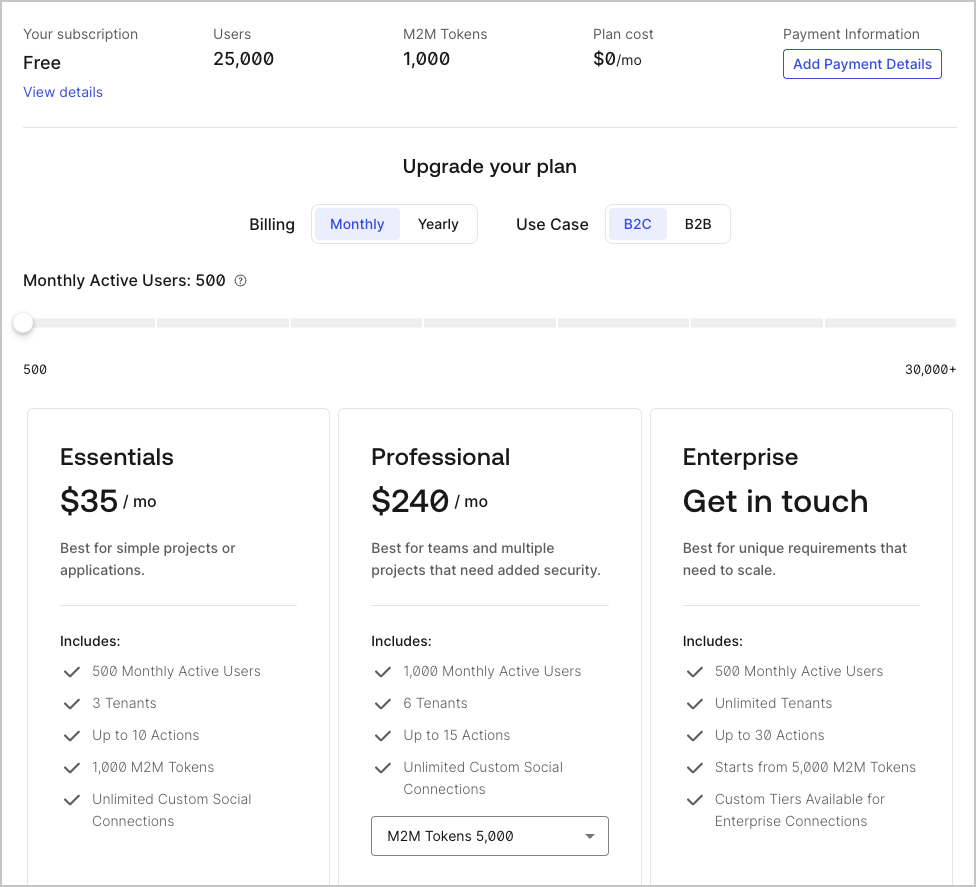 4. To confirm your subscription change, select **Subscribe Now**.
### Request credit or refund
If you downgrade or cancel your Auth0 subscription, you may be eligible for a credit on your next billing cycle or a refund. To learn more, read our [Billing Policy](/docs/troubleshoot/customer-support/operational-policies/billing-policy).
## Enterprise plans
If you are subscribed to an Enterprise plan, contact your Technical Account Manager (TAM) and then [open a ticket with Auth0 Support](/docs/troubleshoot/customer-support/open-and-manage-support-tickets).
## Learn more
* [Delete or Reset Tenants](/docs/troubleshoot/customer-support/manage-subscriptions/delete-or-reset-tenant)
4. To confirm your subscription change, select **Subscribe Now**.
### Request credit or refund
If you downgrade or cancel your Auth0 subscription, you may be eligible for a credit on your next billing cycle or a refund. To learn more, read our [Billing Policy](/docs/troubleshoot/customer-support/operational-policies/billing-policy).
## Enterprise plans
If you are subscribed to an Enterprise plan, contact your Technical Account Manager (TAM) and then [open a ticket with Auth0 Support](/docs/troubleshoot/customer-support/open-and-manage-support-tickets).
## Learn more
* [Delete or Reset Tenants](/docs/troubleshoot/customer-support/manage-subscriptions/delete-or-reset-tenant)