> ## Documentation Index
> Fetch the complete documentation index at: https://docs-staging-quickstart-revamp.mintlify.site/llms.txt
> Use this file to discover all available pages before exploring further.
> Describes how to update an application's enabled connections using the Auth0 Dashboard.
# Update Application Connections
You can change your application's enabled connections using the Auth0 Dashboard.
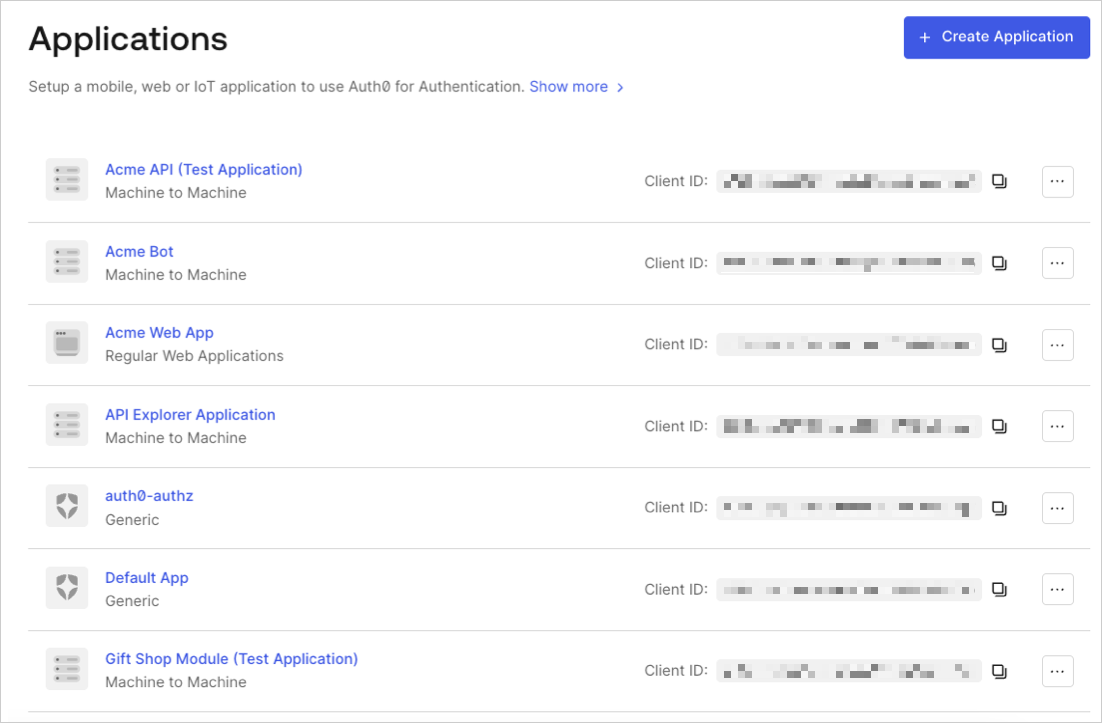
1. Go to [Dashboard > Applications](https://manage.auth0.com/#/applications) and click the name of the application to view.
 2. Click the **Connections** tab, and enable or disable the appropriate connections for the application.
## Learn more
* [View Connections](/docs/authenticate/identity-providers/view-connections)
* [Verify Connections](/docs/troubleshoot/basic-issues/verify-connections)
2. Click the **Connections** tab, and enable or disable the appropriate connections for the application.
## Learn more
* [View Connections](/docs/authenticate/identity-providers/view-connections)
* [Verify Connections](/docs/troubleshoot/basic-issues/verify-connections)