> ## Documentation Index
> Fetch the complete documentation index at: https://docs-staging-quickstart-revamp.mintlify.site/llms.txt
> Use this file to discover all available pages before exploring further.

> Learn about ACUL Login Screen classes

# Login screen classes

## Login screen class

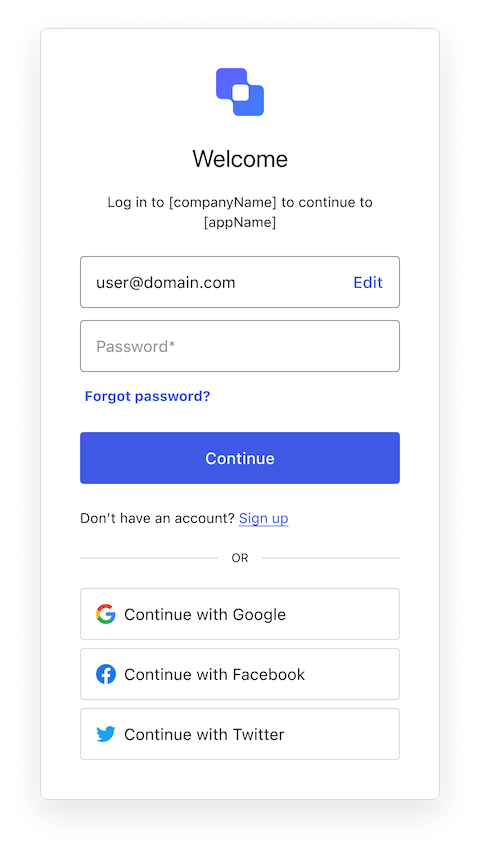
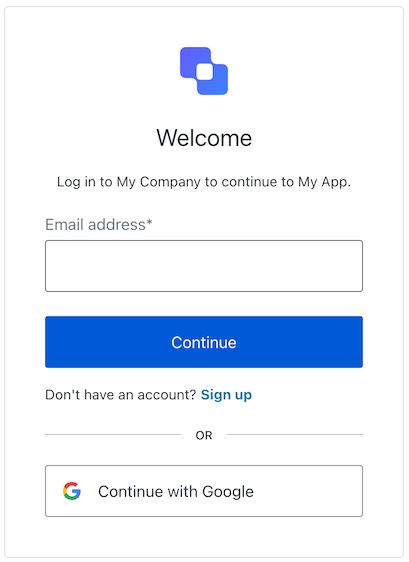
The Login screen class is part of the [Identifier First Authentication](/docs/authenticate/login/auth0-universal-login/identifier-first) flow and collects the user's identifier and password. Depending on your tenant setup, this identifier can be an email, phone number, or username.

<Frame>
  <img src="https://mintcdn.com/docs-staging-quickstart-revamp/OF4RJhPvadaf5sdD/images/cdy7uua7fh8z/5be9XfnulShqeXa4MXfXky/f3a5dded3539d4d683a525dfb6ad8042/Screenshot_2025-01-28_at_10.49.07.png?fit=max&auto=format&n=OF4RJhPvadaf5sdD&q=85&s=7d2708ab83c949ba730b8ba135f5e1b1" alt="ACUL Login" width="396" height="681" data-path="images/cdy7uua7fh8z/5be9XfnulShqeXa4MXfXky/f3a5dded3539d4d683a525dfb6ad8042/Screenshot_2025-01-28_at_10.49.07.png" />
</Frame>

Import and instantiate the Login screen class:

```js lines
import Login from "@auth0/auth0-acul-js/login";
const loginManager = new Login();

// SDK Properties return a string, number or boolean
// ex. "login-id"
loginManager.screen.name;

// SDK Methods return an object or array
// ex. { signup: "/signup_url", reset_password: "/reset_password_url"} 
loginManager.screenLinks();
```

### Properties

The Login screen class properties are:
<Tabs>
  <Tab title="branding">
    ```ts lines expandable
    interface branding {
      settings: null | BrandingSettings;
      themes: null | BrandingThemes;
    }

    interface BrandingSettings {
      colors?: {
        pageBackground?: string | {
          angleDeg: number;
          end: string;
          start: string;
          type: string;
        };
        primary?: string;
      };
      faviconUrl?: string;
      font?: {url: string;};
      logoUrl?: string;
    }

    interface BrandingThemes {
      default: {
        borders: Record<string, string | number | boolean>;
        colors: Record<string, string>;
        displayName: string;
        fonts: Record<string, string | boolean | object>;
        pageBackground: Record<string, string>;
        widget: Record<string, string | number>;
      };
    }
    ```
  </Tab>

  <Tab title="client">
    ```ts lines
    interface client {
      description: null | string;
      id: string;
      logoUrl: null | string;
      name: string;
      metadata: null | {[key: string]: string;};
    }
    ```
  </Tab>

  <Tab title="organization">
    ```ts lines
    interface organization {
      branding: null | {
        colors?: {
          pageBackground?: string;
          primary?: string;
        };
        logoUrl?: string;
      };
      displayName: null | string;
      id: null | string;
      metadata: null | {[key: string]: string;};
      name: null | string;
      usage: null | string;
    }
    ```
  </Tab>

  <Tab title="prompt">
    ```ts lines
    interface prompt{
      name: string;
    }
    ```
  </Tab>

  <Tab title="screen">
    ```ts lines
    interface screen {
      captcha: null | CaptchaContext;
      captchaImage: null | string;
      captchaProvider: null | string;
      captchaSiteKey: null | string;
      data: null | {username?: string;};
      isCaptchaAvailable: boolean;
      links: null | Record<string, string>;
      name: string;
      resetPasswordLink: null | string;
      signupLink: null | string;
      texts: null | Record<string, string>;
    }

    interface CaptchaContext {
      image?: string;
      provider: string;
      siteKey?: string;
    }
    ```
  </Tab>

  <Tab title="tenant">
    ```ts lines
    interface tenant {
      enabledFactors: null | string[];
      enabledLocales: null | string[];
      friendlyName: null | string;
      name: null | string;
    }
    ```
  </Tab>

  <Tab title="transaction">
    ```ts lines expandable
    interface transaction {
      allowedIdentifiers: null | IdentifierType[];
      alternateConnections: null | (Connection | EnterpriseConnection)[];
      connectionStrategy: null | string;
      countryCode: null | string;
      countryPrefix: null | string;
      currentConnection: null | Connection;
      errors: null | Error[];
      hasErrors: boolean;
      isForgotPasswordEnabled: boolean;
      isPasskeyEnabled: boolean;
      isSignupEnabled: boolean;
      locale: string;
      passwordPolicy(): null | PasswordPolicy;
      state: string;
    }

    interface Connection {
      metadata?: Record<string, string>;
      name: string;
      strategy: string;
    }

    interface EnterpriseConnection {
      metadata?: Record<string, string>;
      name: string;
      options: {
        displayName?: string;
        iconUrl?: string;
        showAsButton: boolean;
      };
      strategy: string;
    }

    interface PasswordPolicy {
      minLength?: number;
      policy:
          | "low"
          | "fair"
          | "good"
          | "excellent";
    }

    IdentifierType: "phone" | "email" | "username"
    ```
  </Tab>

  <Tab title="untrustedData">
    ```ts lines
    interface untrustedData {
      authorizationParams: null | {
        login_hint?: string;
        screen_hint?: string;
        ui_locales?: string;
        [key: `ext-${string}`]: string;
      };
      submittedFormData: null | {
        [key: string]:
            | string
            | number
            | boolean
            | undefined;
      };
    }
    ```
  </Tab>

  <Tab title="user">
    ```ts lines
    interface user {
      appMetadata: null | {[key: string]: string;};
      email: null | string;
      enrolledDevices: null | ShortEntity<"device">[];
      enrolledEmails: null | ShortEntity<"email">[];
      enrolledFactors: null | string[];
      enrolledPhoneNumbers: null | ShortEntity<"phoneNumber">[];
      id: null | string;
      organizations: null | {
        branding: undefined | {logoUrl: undefined | string;};
        displayName: undefined | string;
        organizationId: undefined | string;
        organizationName: undefined | string;
      }[];
      phoneNumber: null | string;
      picture: null | string;
      userMetadata: null | {[key: string]: string;};
      username: null | string;
    }

    ShortEntity<Key>: {
        id: number;
    } & Record<Key, string>
    ```
  </Tab>
</Tabs>

### Methods

The Login screen class methods are:

#### login( options? )

This method authenticates the user based on the identifier and provided password. Depending on the server configuration, this could be an email, username, or phone number. Review [Flexible Identifiers](/docs/authenticate/database-connections/flexible-identifiers-and-attributes) for more details.

```js lines
loginManager.login({
  username: "testUser",
  password: "testPassword"
});
```

<table class="table">
  <thead>
    <tr>
      <th><strong>Parameter</strong>                 </th>
      <th><strong>Type</strong></th>
      <th><strong>Required</strong></th>
      <th><strong>Description</strong></th>
    </tr>
  </thead>

  <tbody>
    <tr>
      <td><code>username</code></td>
      <td>string</td>
      <td>Yes</td>
      <td>The user’s identifier.</td>
    </tr>

    <tr>
      <td><code>password</code></td>
      <td>string</td>
      <td>Yes</td>
      <td>The user's password.</td>
    </tr>

    <tr>
      <td><code>captcha</code></td>
      <td>string</td>
      <td>Conditionally</td>
      <td>The captcha code or response from the captcha provider. This property is required if your Auth0 tenant has Bot Detection enabled.</td>
    </tr>

    <tr>
      <td><code>\[key: string]</code></td>
      <td>string | number | boolean | undefined</td>
      <td>No</td>
      <td>Additional data collected from the user. This data is accessible in the <code>post-login</code> Action trigger.</td>
    </tr>
  </tbody>
</table>

#### federatedLogin( options? )

This method redirects the user to the social or enterprise <Tooltip tip="Identity Provider (IdP): Service that stores and manages digital identities." cta="View Glossary" href="/docs/glossary?term=identity+provider">identity provider</Tooltip> (IdP) for authentication. Review [Social Identity Providers](/docs/authenticate/identity-providers/social-identity-providers) and [Enterprise Identity Providers](/docs/authenticate/identity-providers/enterprise-identity-providers) for details.

```js lines
import Login from "@auth0/auth0-acul-js/login";
const loginManager = new Login();
loginManager.federatedLogin({
  connection: "google-oauth2"
});
```

<table class="table">
  <thead>
    <tr>
      <th><strong>Parameter</strong></th>
      <th><strong>Type</strong></th>
      <th><strong>Required</strong></th>
      <th><strong>Description</strong></th>
    </tr>
  </thead>

  <tbody>
    <tr>
      <td><code>connection</code></td>
      <td>string</td>
      <td>Yes</td>
      <td>The identifier for the connection.</td>
    </tr>

    <tr>
      <td><code>\[key: string]</code></td>
      <td>string | number | boolean | undefined</td>
      <td>No</td>
      <td>Additional data collected from the user. This data is accessible in the <code>post-login</code> Action trigger.</td>
    </tr>
  </tbody>
</table>

## Login Email Verification screen class

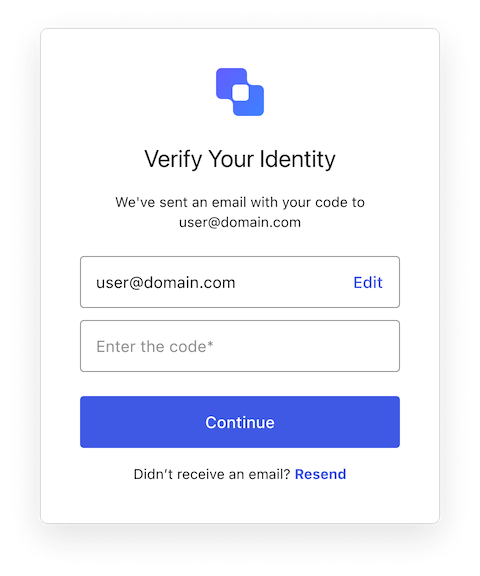
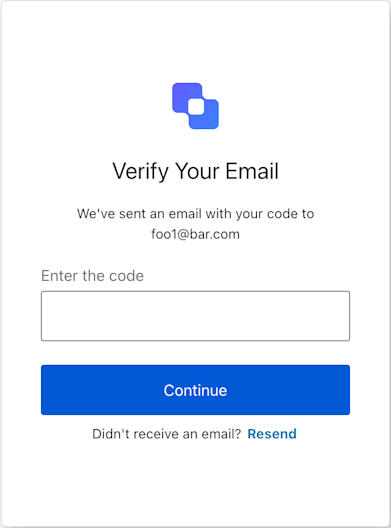
The Login Email Verification screen class provides methods associated with the login-email-verification screen.

<Frame>
  <img src="https://mintcdn.com/docs-staging-quickstart-revamp/MuTsjoV4fPPSGZz9/images/cdy7uua7fh8z/2kIZmIlrAHoSTyaD8thnIL/515c6f940036953d2989c7b37b7f1fe2/Screenshot_2025-05-15_at_21.18.53.png?fit=max&auto=format&n=MuTsjoV4fPPSGZz9&q=85&s=1e1753afbe7e0dc0c3c1e0102429b05d" alt="" width="391" height="528" data-path="images/cdy7uua7fh8z/2kIZmIlrAHoSTyaD8thnIL/515c6f940036953d2989c7b37b7f1fe2/Screenshot_2025-05-15_at_21.18.53.png" />
</Frame>

Import and instantiate the Login Email Verification screen class:

```js lines
import LoginEmailVerification from '@auth0/auth0-acul-js/login-email-verification';

// Instantiate the manager for the login email verification screen
const loginEmailVerificationManager = new LoginEmailVerification();

// Accessing screen-specific texts (e.g., for titles, labels, button texts)
const screenTexts = loginEmailVerificationManager.screen.texts;
const pageTitle = screenTexts?.title || 'Verify Your Email';
const codePlaceholder = screenTexts?.codePlaceholder || 'Enter code here';

// Accessing transaction errors from a previous attempt
const transactionErrors = loginEmailVerificationManager.transaction.errors;
if (transactionErrors && transactionErrors.length > 0) {
  transactionErrors.forEach(error => {
    console.error(`Error Code: ${error.code}, Message: ${error.message}`);
    // Display these errors to the user appropriately.
  });
}
```

### Properties

The Login Email Verification screen class properties are:
<Tabs>
  <Tab title="branding">
    ```ts lines expandable
    interface branding {
      settings: null | BrandingSettings;
      themes: null | BrandingThemes;
    }

    interface BrandingSettings {
      colors?: {
        pageBackground?: string | {
          angleDeg: number;
          end: string;
          start: string;
          type: string;
        };
        primary?: string;
      };
      faviconUrl?: string;
      font?: {url: string;};
      logoUrl?: string;
    }

    interface BrandingThemes {
      default: {
        borders: Record<string, string | number | boolean>;
        colors: Record<string, string>;
        displayName: string;
        fonts: Record<string, string | boolean | object>;
        pageBackground: Record<string, string>;
        widget: Record<string, string | number>;
      };
    }
    ```
  </Tab>

  <Tab title="client">
    ```ts lines
    interface client {
      description: null | string;
      id: string;
      logoUrl: null | string;
      name: string;
      metadata: null | {[key: string]: string;};
    }
    ```
  </Tab>

  <Tab title="organization">
    ```ts lines
    interface organization {
      branding: null | {
        colors?: {
          pageBackground?: string;
          primary?: string;
        };
        logoUrl?: string;
      };
      displayName: null | string;
      id: null | string;
      metadata: null | {[key: string]: string;};
      name: null | string;
      usage: null | string;
    }
    ```
  </Tab>

  <Tab title="prompt">
    ```ts lines
    interface prompt{
      name: string;
    }
    ```
  </Tab>

  <Tab title="screen">
    ```ts lines expandable
    interface screen {
      captcha: null | CaptchaContext;
      captchaImage: null | string;
      captchaProvider: null | string;
      captchaSiteKey: null | string;
      data: null | Record<string,
          | string
          | boolean
          | PasskeyCreate
          | string[]
          | PhonePrefix[]>
          | Record<string, string[]>>;
      isCaptchaAvailable: boolean;
      links: null | Record<string, string>;
      name: string;
      texts: null | Record<string, string>;
    }

    interface CaptchaContext {
      image?: string;
      provider: string;
      siteKey?: string;
    }

    interface PhonePrefix {
      country: string;
      country_code: string;
      phone_prefix: string;
    }

    interface PasskeyCreate {
        public_key: {
            authenticatorSelection: {
                residentKey: string;
                userVerification: string;
            };
            challenge: string;
            pubKeyCredParams: [{ alg: number; type: string }];
            rp: { id: string; name: string };
            user: { displayName: string; id: string; name: string };
        };
    }
    ```
  </Tab>

  <Tab title="tenant">
    ```ts lines
    interface tenant {
      enabledFactors: null | string[];
      enabledLocales: null | string[];
      friendlyName: null | string;
      name: null | string;
    }
    ```
  </Tab>

  <Tab title="transaction">
    ```ts lines expandable
    interface transaction {
      alternateConnections: null | (Connection | EnterpriseConnection)[];
      connectionStrategy: null | string;
      countryCode: null | string;
      countryPrefix: null | string;
      currentConnection: null | Connection;
      errors: null | Error[];  
      hasErrors: boolean;
      locale: string;
      state: string;
    }

    interface Connection {
      metadata?: Record<string, string>;
      name: string;
      strategy: string;
    }

    interface EnterpriseConnection {
      metadata?: Record<string, string>;
      name: string;
      options: {
        displayName?: string;
        iconUrl?: string;
        showAsButton: boolean;
      };
      strategy: string;
    }
    ```
  </Tab>

  <Tab title="untrustedData">
    ```ts lines
    interface untrustedData {
      authorizationParams: null | {
        login_hint?: string;
        screen_hint?: string;
        ui_locales?: string;
        [key: `ext-${string}`]: string;
      };
      submittedFormData: null | {
        [key: string]:
            | string
            | number
            | boolean
            | undefined;
      };
    }
    ```
  </Tab>

  <Tab title="user">
    ```ts lines
    interface user {
      appMetadata: null | {[key: string]: string;};
      email: null | string;
      enrolledDevices: null | ShortEntity<"device">[];
      enrolledEmails: null | ShortEntity<"email">[];
      enrolledFactors: null | string[];
      enrolledPhoneNumbers: null | ShortEntity<"phoneNumber">[];
      id: null | string;
      organizations: null | {
        branding: undefined | {logoUrl: undefined | string;};
        displayName: undefined | string;
        organizationId: undefined | string;
        organizationName: undefined | string;
      }[];
      phoneNumber: null | string;
      picture: null | string;
      userMetadata: null | {[key: string]: string;};
      username: null | string;
    }

    ShortEntity<Key>: {
        id: number;
    } & Record<Key, string>
    ```
  </Tab>
</Tabs>

### Methods

The Login Email Verification screen class methods are:

#### continueWithCode( options? )

This method submits the email verification code entered by the user to Auth0.

```javascript lines
const manager = new LoginEmailVerification();
// Assuming 'userInputCode' is a string obtained from a form input
manager.continueWithCode({ code: userInputCode })
  .catch(err => {
    // Handle unexpected submission errors
    displayGlobalError("Could not submit your code. Please try again.");
  });
// After the operation, check manager.transaction.errors for validation messages.
```

<table class="table">
  <thead>
    <tr>
      <th><strong>Parameter</strong>                 </th>
      <th><strong>Type</strong></th>
      <th><strong>Required</strong></th>
      <th><strong>Description</strong></th>
    </tr>
  </thead>

  <tbody>
    <tr>
      <td><code>code</code></td>
      <td>string</td>
      <td>Yes</td>
      <td>The code entered by the user.</td>
    </tr>

    <tr>
      <td><code>\[key: string]</code></td>
      <td>string | number | boolean | undefined</td>
      <td>No</td>
      <td>Optional data collected from user.</td>
    </tr>
  </tbody>
</table>

#### resendCode( options? )

This method requests Auth0 to send a new verification code to the user's email address.

```javascript lines
const manager = new LoginEmailVerification();
manager.resendCode()
  .then(() => {
    // Inform the user that a new code has been sent.
    showNotification("A new verification code is on its way!");
  })
  .catch(err => {
    // Handle unexpected submission errors
    displayGlobalError("Could not request a new code. Please try again later.");
  });
// After the operation, check manager.transaction.errors for specific issues.
```

<table class="table">
  <thead>
    <tr>
      <th><strong>Parameter</strong>                 </th>
      <th><strong>Type</strong></th>
      <th><strong>Required</strong></th>
      <th><strong>Description</strong></th>
    </tr>
  </thead>

  <tbody>
    <tr>
      <td><code>\[key: string]</code></td>
      <td>string | number | boolean | undefined</td>
      <td>No</td>
      <td>Optional data collected from user.</td>
    </tr>
  </tbody>
</table>

## Login ID screen class

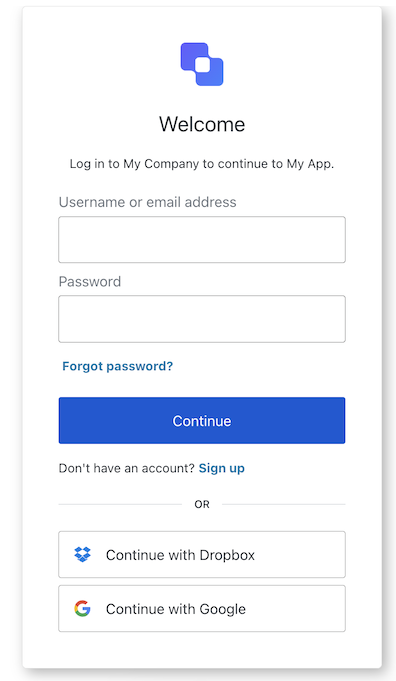
The Login ID screen class is part of the [Identifier First Authentication](/docs/authenticate/login/auth0-universal-login/identifier-first) flow and collects the user's identifier. Depending on your tenant setup, this identifier can be an email, phone number, or username.

<Frame>
  <img src="https://mintcdn.com/docs-staging-quickstart-revamp/fNPG21NgQLCA0axA/images/cdy7uua7fh8z/1nvMFmxC5ODCW2q7cByHv8/657d87ba1c2eb11316e6b0ef93737c99/LoginIDACUL.png?fit=max&auto=format&n=fNPG21NgQLCA0axA&q=85&s=6b0084ca7f1a5701d671e6eb2845384a" alt="" width="409" height="562" data-path="images/cdy7uua7fh8z/1nvMFmxC5ODCW2q7cByHv8/657d87ba1c2eb11316e6b0ef93737c99/LoginIDACUL.png" />
</Frame>

Import and instantiate the Login ID screen class:

```js lines
import LoginId from '@auth0/auth0-acul-js/login-id';
const loginIdManager = new LoginId();

// SDK Properties return a string, number or boolean
// ex. "login-id"
loginIdManager.screen.name;

// SDK Methods return an object or array
// ex. { signup: "/signup_url", reset_password: "/reset_password_url"} 
loginIdManager.screenLinks();
```

### Properties

The Login ID screen class properties are:

<Tabs>
  <Tab title="branding">
    ```ts lines expandable
    interface branding {
      settings: null | BrandingSettings;
      themes: null | BrandingThemes;
    }

    interface BrandingSettings {
      colors?: {
        pageBackground?: string | {
          angleDeg: number;
          end: string;
          start: string;
          type: string;
        };
        primary?: string;
      };
      faviconUrl?: string;
      font?: {url: string;};
      logoUrl?: string;
    }

    interface BrandingThemes {
      default: {
        borders: Record<string, string | number | boolean>;
        colors: Record<string, string>;
        displayName: string;
        fonts: Record<string, string | boolean | object>;
        pageBackground: Record<string, string>;
        widget: Record<string, string | number>;
      };
    }
    ```
  </Tab>

  <Tab title="client">
    ```ts lines
    interface client {
      description: null | string;
      id: string;
      logoUrl: null | string;
      name: string;
      metadata: null | {[key: string]: string;};
    }
    ```
  </Tab>

  <Tab title="organization">
    ```ts lines
    interface organization {
      branding: null | {
        colors?: {
          pageBackground?: string;
          primary?: string;
        };
        logoUrl?: string;
      };
      displayName: null | string;
      id: null | string;
      metadata: null | {[key: string]: string;};
      name: null | string;
      usage: null | string;
    }
    ```
  </Tab>

  <Tab title="prompt">
    ```ts lines
    interface prompt{
      name: string;
    }
    ```
  </Tab>

  <Tab title="screen">
    ```ts lines expandable
    interface screen {
      captcha: null | CaptchaContext;
      captchaImage: null | string;
      captchaProvider: null | string;
      captchaSiteKey: null | string;
      data: 
          |null 
          | Record<
            string,
            | string
            | boolean
            | PasskeyCreate
            | string[]
            | Record<string, string[]>
            | PhonePrefix[],
          >;
      isCaptchaAvailable: boolean;
      links: null | Record<string, string>;
      name: string;
      publicKey: null | { challenge: string };
      resetPasswordLink: null | string;
      signupLink: null | string;
      texts: null | Record<string, string>;
    }

    interface CaptchaContext {
      image?: string;
      provider: string;
      siteKey?: string;
    }

    interface PasskeyCreate {
        public_key: {
            authenticatorSelection: {
                residentKey: string;
                userVerification: string;
            };
            challenge: string;
            pubKeyCredParams: [{ alg: number; type: string }];
            rp: { id: string; name: string };
            user: { displayName: string; id: string; name: string };
        };
    }

    interface PhonePrefix {
      country: string;
      country_code: string;
      phone_prefix: string;
    }
    ```
  </Tab>

  <Tab title="tenant">
    ```ts lines
    interface tenant {
      enabledFactors: null | string[];
      enabledLocales: null | string[];
      friendlyName: null | string;
      name: null | string;
    }
    ```
  </Tab>

  <Tab title="transaction">
    ```ts lines expandable
    interface transaction {
      allowedIdentifiers: null | IdentifierType[];
      alternateConnections: null | (Connection | EnterpriseConnection)[];
      connectionStrategy: null | string;
      countryCode: null | string;
      countryPrefix: null | string;
      currentConnection: null | Connection;
      errors: null | Error[];
      hasErrors: boolean;
      isForgotPasswordEnabled: boolean;
      isPasskeyEnabled: boolean;
      isSignupEnabled: boolean;
      isUsernameRequired: boolean;
      locale: string;
      state: string;
      usernamePolicy: null | UsernamePolicy;
    }

    interface Connection {
      metadata?: Record<string, string>;
      name: string;
      strategy: string;
    }

    interface EnterpriseConnection {
      metadata?: Record<string, string>;
      name: string;
      options: {
        display_name?: string;
        icon_url?: string;
        show_as_button: boolean;
      };
      strategy: string;
    }

    interface UsernamePolicy {
      allowedFormats: {
        usernameInEmailFormat: boolean;
        usernameInPhoneFormat: boolean;
      };
      maxLength: number;
      minLength: number;
    }

    IdentifierType: "phone" | "email" | "username"
    ```
  </Tab>

  <Tab title="untrustedData">
    ```ts lines
    interface untrustedData {
      authorizationParams: null | {
        login_hint?: string;
        screen_hint?: string;
        ui_locales?: string;
        [key: `ext-${string}`]: string;
      };
      submittedFormData: null | {
        [key: string]:
            | string
            | number
            | boolean
            | undefined;
      };
    }
    ```
  </Tab>

  <Tab title="user">
    ```ts lines
    interface user {
      appMetadata: null | {[key: string]: string;};
      email: null | string;
      enrolledDevices: null | ShortEntity<"device">[];
      enrolledEmails: null | ShortEntity<"email">[];
      enrolledFactors: null | string[];
      enrolledPhoneNumbers: null | ShortEntity<"phoneNumber">[];
      id: null | string;
      organizations: null | {
        branding: undefined | {logoUrl: undefined | string;};
        displayName: undefined | string;
        organizationId: undefined | string;
        organizationName: undefined | string;
      }[];
      phoneNumber: null | string;
      picture: null | string;
      userMetadata: null | {[key: string]: string;};
      username: null | string;
    }

    ShortEntity<Key>: {
        id: number;
    } & Record<Key, string>
    ```
  </Tab>
</Tabs>

### Methods

The Login ID screen class methods are:

#### login( options? )

This method takes the user to the next step where they can enter their password or one-time password (OTP) code. Depending on the server configuration, this could be an email, username, or phone number. Review [Flexible Identifiers](/docs/authenticate/database-connections/flexible-identifiers-and-attributes) for more details.

```text lines
loginIdManager.login({
  username: <identifierFieldValue>
});
```

<table class="table">
  <thead>
    <tr>
      <th><strong>Parameter</strong>                 </th>
      <th><strong>Type</strong></th>
      <th><strong>Required</strong></th>
      <th><strong>Description</strong></th>
    </tr>
  </thead>

  <tbody>
    <tr>
      <td><code>username</code></td>
      <td>string</td>
      <td>Yes</td>
      <td>The user’s identifier.</td>
    </tr>

    <tr>
      <td><code>captcha</code></td>
      <td>string</td>
      <td>Conditionally</td>
      <td>The captcha code or response from the captcha provider. This property is required if your Auth0 tenant has Bot Detection enabled.</td>
    </tr>

    <tr>
      <td><code>\[key: string]</code></td>
      <td>string | number | boolean | undefined</td>
      <td>No</td>
      <td>Additional data collected from the user. This data is accessible in the <code>post-login</code> Action trigger.</td>
    </tr>
  </tbody>
</table>

#### passkeyLogin( options? )

This method authenticates the user using the provided passkey and, if successful, redirects them to the `redirect_url`.

```javascript lines
// This method does not support any parameters
loginIdManager.passkeyLogin();
```

#### federatedLogin( options? )

This method redirects the user to the social or enterprise identity provider (IdP) for authentication. Review [Social Identity Providers](/docs/authenticate/identity-providers/social-identity-providers) and [Enterprise Identity Providers](/docs/authenticate/identity-providers/enterprise-identity-providers) for details.

```js lines
import LoginId from "@auth0/auth0-acul-js/login-id";
const loginIdManager = new LoginId();

// Check if alternateConnections is available and has at least one item
if (!loginIdManager.transaction.alternateConnections) {
  console.error('No alternate connections available.');
}

// Select the first available connection (users can select any available connection)
const selectedConnection = alternateConnections[0];

// Log the chosen connection for debugging or informational purposes
console.log(`Selected connection: ${selectedConnection.name}`);

// Proceed with federated login using the selected connection
loginIdManager.federatedLogin({
  connection: selectedConnection.name,
});
```

<table class="table">
  <thead>
    <tr>
      <th><strong>Parameter</strong></th>
      <th><strong>Type</strong></th>
      <th><strong>Required</strong></th>
      <th><strong>Description</strong></th>
    </tr>
  </thead>

  <tbody>
    <tr>
      <td><code>connection</code></td>
      <td>string</td>
      <td>Yes</td>
      <td>The identifier for the connection.</td>
    </tr>

    <tr>
      <td><code>\[key: string]</code></td>
      <td>string | number | boolean | undefined</td>
      <td>No</td>
      <td>Additional data collected from the user. This data is accessible in the <code>post-login</code> Action trigger.</td>
    </tr>
  </tbody>
</table>

#### pickCountryCode( options? )

This method redirects the user to the country code selection list, where they can update the country code prefix for their phone number.

```javascript lines
// This method does not support any parameters
loginIdManager.pickCountryCode();
```

## Login Password screen class

The Login Password screen class is part of the [Identifier First Authentication](/docs/authenticate/login/auth0-universal-login/identifier-first) flow and collects the user's password.

<Frame>
  <img src="https://mintcdn.com/docs-staging-quickstart-revamp/cn1eMmAiJHX3hF4T/images/cdy7uua7fh8z/Em8VqaD4fPUx6FRevD8fh/a9133a19565d5d9ddc1454535a0a7a11/loginpassword.png?fit=max&auto=format&n=cn1eMmAiJHX3hF4T&q=85&s=cdb26cde4a24d98acf85fd2e2114e633" alt="" width="480" height="852" data-path="images/cdy7uua7fh8z/Em8VqaD4fPUx6FRevD8fh/a9133a19565d5d9ddc1454535a0a7a11/loginpassword.png" />
</Frame>

Import and instantiate the Login Password screen class

```js lines
import LoginPassword from "@auth0/auth0-acul-js/login-password";
const loginPasswordManager = new LoginPassword();

// SDK Properties return a string, number or boolean
// ex. "login-password"
loginPasswordManager.screen.name;

// SDK Methods return an object or array
// ex. { signup: "/signup_url", reset_password: "/reset_password_url"} 
loginPasswordManager.screenLinks();
```

### Properties

The Login Password screen class properties are:

<Tabs>
  <Tab title="branding">
    ```ts lines expandable
    interface branding {
      settings: null | BrandingSettings;
      themes: null | BrandingThemes;
    }

    interface BrandingSettings {
      colors?: {
        pageBackground?: string | {
          angleDeg: number;
          end: string;
          start: string;
          type: string;
        };
        primary?: string;
      };
      faviconUrl?: string;
      font?: {url: string;};
      logoUrl?: string;
    }

    interface BrandingThemes {
      default: {
        borders: Record<string, string | number | boolean>;
        colors: Record<string, string>;
        displayName: string;
        fonts: Record<string, string | boolean | object>;
        pageBackground: Record<string, string>;
        widget: Record<string, string | number>;
      };
    }
    ```
  </Tab>

  <Tab title="client">
    ```ts lines
    interface client {
      description: null | string;
      id: string;
      logoUrl: null | string;
      name: string;
      metadata: null | {[key: string]: string;};
    }
    ```
  </Tab>

  <Tab title="organization">
    ```ts lines
    interface organization {
      branding: null | {
        colors?: {
          pageBackground?: string;
          primary?: string;
        };
        logoUrl?: string;
      };
      displayName: null | string;
      id: null | string;
      metadata: null | {[key: string]: string;};
      name: null | string;
      usage: null | string;
    }
    ```
  </Tab>

  <Tab title="prompt">
    ```ts lines
    interface prompt{
      name: string;
    }
    ```
  </Tab>

  <Tab title="screen">
    ```ts lines
    interface screen {
      captcha: null | CaptchaContext;
      captchaImage: null | string;
      captchaProvider: null | string;
      captchaSiteKey: null | string;
      data: null | { username: string; };
      editIdentifierLink: null | string;
      isCaptchaAvailable: boolean;
      links: null | Record<string, string>;
      name: string;
      resetPasswordLink: null | string;
      signupLink: null | string;
      texts: null | Record<string, string>;
    }

    interface CaptchaContext {
      image?: string;
      provider: string;
      siteKey?: string;
    }
    ```
  </Tab>

  <Tab title="tenant">
    ```ts lines
    interface tenant {
      enabledFactors: null | string[];
      enabledLocales: null | string[];
      friendlyName: null | string;
      name: null | string;
    }
    ```
  </Tab>

  <Tab title="transaction">
    ```ts lines expandable
    interface transaction {
      alternateConnections: null | (Connection | EnterpriseConnection)[];
      connectionStrategy: null | string;
      countryCode: null | string;
      countryPrefix: null | string;
      currentConnection: null | Connection;
      errors: null | Error[];
      hasErrors: boolean;
      isForgotPasswordEnabled: boolean;
      isPasskeyEnabled: boolean;
      isSignupEnabled: boolean;
      locale: string;
      state: string;
      getAllowedIdentifiers(): null | ("email" | "username" | "phone")[];
      getPasswordPolicy(): null | PasswordPolicy;
      getUsernamePolicy(): null | UsernamePolicy;
    }

    interface Connection {
        metadata?: Record<string, string>;
        name: string;
        strategy: string;
    }

    interface EnterpriseConnection {
        metadata?: Record<string, string>;
        name: string;
        options: {
            displayName?: string;
            iconURL?: string;
            showAsButton: boolean;
        };
        strategy: string;
    }

    interface PasswordPolicy {
        minLength?: number;
        policy:
            | "low"
            | "fair"
            | "good"
            | "excellent";
    }

    interface UsernamePolicy {
        allowedFormats: {
            usernameInEmailFormat: boolean;
            usernameInPhoneFormat: boolean;
        };
        maxLength: number;
        minLength: number;
    }
    ```
  </Tab>

  <Tab title="untrustedData">
    ```ts lines
    interface untrustedData {
      authorizationParams: null | {
        login_hint?: string;
        screen_hint?: string;
        ui_locales?: string;
        [key: `ext-${string}`]: string;
      };
      submittedFormData: null | {
        [key: string]:
            | string
            | number
            | boolean
            | undefined;
      };
    }
    ```
  </Tab>

  <Tab title="user">
    ```ts lines
    interface user {
      appMetadata: null | {[key: string]: string;};
      email: null | string;
      enrolledDevices: null | ShortEntity<"device">[];
      enrolledEmails: null | ShortEntity<"email">[];
      enrolledFactors: null | string[];
      enrolledPhoneNumbers: null | ShortEntity<"phoneNumber">[];
      id: null | string;
      organizations: null | {
        branding: undefined | {logoUrl: undefined | string;};
        displayName: undefined | string;
        organizationId: undefined | string;
        organizationName: undefined | string;
      }[];
      phoneNumber: null | string;
      picture: null | string;
      userMetadata: null | {[key: string]: string;};
      username: null | string;
    }

    ShortEntity<Key>: {
        id: number;
    } & Record<Key, string>
    ```
  </Tab>
</Tabs>

### Methods

The Login Password screen class method is:

#### login( options? )

This method authenticates the user based on the identifier from the previous step and the provided password. Once authenticated, the user is directed to the next step.

```text lines
loginPasswordManager.login({
  username: <usernameFieldValue>,
  password: ********
});
```

<table class="table">
  <thead>
    <tr>
      <th><strong>Parameter</strong>                 </th>
      <th><strong>Type</strong></th>
      <th><strong>Required</strong></th>
      <th><strong>Description</strong></th>
    </tr>
  </thead>

  <tbody>
    <tr>
      <td><code>captcha</code></td>
      <td>string</td>
      <td>Conditionally</td>
      <td>The captcha code or response from the captcha provider. This property is required if your Auth0 tenant has Bot Detection enabled.</td>
    </tr>

    <tr>
      <td><code>username</code></td>
      <td>string</td>
      <td>Yes</td>
      <td>The user’s identifier.</td>
    </tr>

    <tr>
      <td><code>password</code></td>
      <td>string</td>
      <td>Yes</td>
      <td>The user's password.</td>
    </tr>

    <tr>
      <td><code>\[key: string]</code></td>
      <td>string | number | boolean | undefined</td>
      <td>No</td>
      <td>Additional data collected from the user. This data is accessible in the <code>post-login</code> Action trigger.</td>
    </tr>
  </tbody>
</table>

## Login Passwordless Email Code screen class

The Login <Tooltip tip="Passwordless: Form of authentication that does not rely on a password as the first factor." cta="View Glossary" href="/docs/glossary?term=Passwordless">Passwordless</Tooltip> Email Code screen class is part of the [Identifier First Authentication](/docs/authenticate/login/auth0-universal-login/identifier-first) flow. It allows the user to authenticate with a one-time password (OTP) code sent to the email provided in their previous step.

<Frame>
  <img src="https://mintcdn.com/docs-staging-quickstart-revamp/R8rXfTj95YBIEuC2/images/cdy7uua7fh8z/4DKgjU2dGw0mpLJKGfGhp0/470b29266da87f9bfc3e7eef55069620/Login_Passwordless_Email_Code.png?fit=max&auto=format&n=R8rXfTj95YBIEuC2&q=85&s=011d4760e9ba7a51d62833e362021b79" alt="Login Passwordless Email Code" width="480" height="576" data-path="images/cdy7uua7fh8z/4DKgjU2dGw0mpLJKGfGhp0/470b29266da87f9bfc3e7eef55069620/Login_Passwordless_Email_Code.png" />
</Frame>

Import and instantiate the Login Passwordless Email Code screen class

```js lines
import LoginPasswordlessEmailCode from '@auth0/auth0-acul-js/login-passwordless-email-code';
const loginPasswordlessEmailCodeManager = new LoginPasswordlessEmailCode();

// SDK Properties return a string, number or boolean
// ex. "login-passwordless-email-code"
loginPasswordlessEmailCodeManager.screen.name;

// SDK Methods return an object or array
// ex. { edit_identifier: "/edit_url" } 
loginPasswordlessEmailCodeManager.screenLinks();
```

### Properties

The Login Passwordless Email Code screen class properties are:

<Tabs>
  <Tab title="branding">
    ```ts lines expandable
    interface branding {
      settings: null | BrandingSettings;
      themes: null | BrandingThemes;
    }

    interface BrandingSettings {
      colors?: {
        pageBackground?: string | {
          angleDeg: number;
          end: string;
          start: string;
          type: string;
        };
        primary?: string;
      };
      faviconUrl?: string;
      font?: {url: string;};
      logoUrl?: string;
    }

    interface BrandingThemes {
      default: {
        borders: Record<string, string | number | boolean>;
        colors: Record<string, string>;
        displayName: string;
        fonts: Record<string, string | boolean | object>;
        pageBackground: Record<string, string>;
        widget: Record<string, string | number>;
      };
    }
    ```
  </Tab>

  <Tab title="client">
    ```ts lines
    interface client {
      description: null | string;
      id: string;
      logoUrl: null | string;
      name: string;
      metadata: null | {[key: string]: string;};
    }
    ```
  </Tab>

  <Tab title="organization">
    ```ts lines
    interface organization {
      branding: null | {
        colors?: {
          pageBackground?: string;
          primary?: string;
        };
        logoUrl?: string;
      };
      displayName: null | string;
      id: null | string;
      metadata: null | {[key: string]: string;};
      name: null | string;
      usage: null | string;
    }
    ```
  </Tab>

  <Tab title="prompt">
    ```ts lines
    interface prompt{
      name: string;
    }
    ```
  </Tab>

  <Tab title="screen">
    ```ts lines
    interface screen {
      captcha: null | CaptchaContext;
      captchaImage: null | string;
      captchaProvider: null | string;
      captchaSiteKey: null | string;
      data: null | {
          email?: string;
          username?: string;
      };
      editIdentifierLink: null | string;
      isCaptchaAvailable: boolean;
      links: null | Record<string, string>;
      name: string;
      resetPasswordLink: null | string;
      signupLink: null | string;
      texts: null | Record<string, string>;
    }

    interface CaptchaContext {
      image?: string;
      provider: string;
      siteKey?: string;
    }
    ```
  </Tab>

  <Tab title="tenant">
    ```ts lines
    interface tenant {
      enabledFactors: null | string[];
      enabledLocales: null | string[];
      friendlyName: null | string;
      name: null | string;
    }
    ```
  </Tab>

  <Tab title="transaction">
    ```ts lines expandable
    interface transaction {
      alternateConnections: null | (Connection | EnterpriseConnection)[];
      connectionStrategy: null | string;
      countryCode: null | string;
      countryPrefix: null | string;
      currentConnection: null | Connection;
      errors: null | Error[];
      hasErrors: boolean;
      isSignupEnabled: null | boolean;
      locale: string;
      state: string;
    }

    interface Connection {
      metadata?: Record<string, string>;
      name: string;
      strategy: string;
    }

    interface EnterpriseConnection {
      metadata?: Record<string, string>;
      name: string;
      options: {
        display_name?: string;
        icon_url?: string;
        show_as_button: boolean;
      };
      strategy: string;
    }
    ```
  </Tab>

  <Tab title="untrustedData">
    ```ts lines
    interface untrustedData {
      authorizationParams: null | {
        login_hint?: string;
        screen_hint?: string;
        ui_locales?: string;
        [key: `ext-${string}`]: string;
      };
      submittedFormData: null | {
        [key: string]:
            | string
            | number
            | boolean
            | undefined;
      };
    }
    ```
  </Tab>

  <Tab title="user">
    ```ts lines
    interface user {
      appMetadata: null | {[key: string]: string;};
      email: null | string;
      enrolledDevices: null | ShortEntity<"device">[];
      enrolledEmails: null | ShortEntity<"email">[];
      enrolledFactors: null | string[];
      enrolledPhoneNumbers: null | ShortEntity<"phoneNumber">[];
      id: null | string;
      organizations: null | {
        branding: undefined | {logoUrl: undefined | string;};
        displayName: undefined | string;
        organizationId: undefined | string;
        organizationName: undefined | string;
      }[];
      phoneNumber: null | string;
      picture: null | string;
      userMetadata: null | {[key: string]: string;};
      username: null | string;
    }

    ShortEntity<Key>: {
        id: number;
    } & Record<Key, string>
    ```
  </Tab>
</Tabs>

### Methods

The Login Passwordless Email Code screen class method are:

#### resendCode( options? )

This method sends a new OTP code to the email provided in the previous step.

```javascript lines
// This method does not support any parameters
loginPasswordlessEmailCode.resendCode();
```

<table class="table">
  <thead>
    <tr>
      <th><strong>Parameter</strong>                 </th>
      <th><strong>Type</strong></th>
      <th><strong>Required</strong></th>
      <th><strong>Description</strong></th>
    </tr>
  </thead>

  <tbody>
    <tr>
      <td><code>\[key: string]</code></td>
      <td>string | number | boolean | undefined</td>
      <td>No</td>
      <td>Optional data collected from user.</td>
    </tr>
  </tbody>
</table>

#### SubmitCode( options? )

This method authenticates the user based on the provided email address and OTP code.

```js lines
loginPasswordlessEmailCode.submitCode({
 email: <EmailFieldValue>;
 code: <OtpCodeFieldValue>;
});
```

<table class="table">
  <thead>
    <tr>
      <th><strong>Parameter</strong>                 </th>
      <th><strong>Type</strong></th>
      <th><strong>Required</strong></th>
      <th><strong>Description</strong></th>
    </tr>
  </thead>

  <tbody>
    <tr>
      <td><code>captcha</code></td>
      <td>string</td>
      <td>Conditionally</td>
      <td>The captcha code or response from the captcha provider. This property is required if your Auth0 tenant has Bot Detection enabled.</td>
    </tr>

    <tr>
      <td><code>code</code></td>
      <td>string number</td>
      <td>Yes</td>
      <td>The OTP code sent to the email.</td>
    </tr>

    <tr>
      <td><code>\[key: string]</code></td>
      <td>string | number | boolean | undefined</td>
      <td>No</td>
      <td>Additional data collected from the user. This data is accessible in the <code>post-login</code> Action trigger.</td>
    </tr>
  </tbody>
</table>

## Login Passwordless SMS OTP screen class

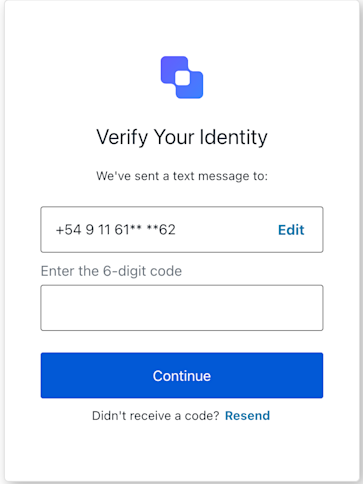
The Login Passwordless SMS OTP screen class is part of the [Identifier First Authentication](/docs/authenticate/login/auth0-universal-login/identifier-first) flow. It allows the user to authenticate with a one-time password (OTP) code sent to the phone number provided in the previous step.

<Frame>
  <img src="https://mintcdn.com/docs-staging-quickstart-revamp/KCEsvkqT5-VRQ297/images/cdy7uua7fh8z/7CNCkaU1uPRbEUsAyqlj8u/8461823cf224471d19656e4dd9027a87/Screenshot_2025-04-24_at_11.31.00.png?fit=max&auto=format&n=KCEsvkqT5-VRQ297&q=85&s=a5cb0c40bf176ed3d6f60af1fecc2056" alt="" width="363" height="484" data-path="images/cdy7uua7fh8z/7CNCkaU1uPRbEUsAyqlj8u/8461823cf224471d19656e4dd9027a87/Screenshot_2025-04-24_at_11.31.00.png" />
</Frame>

Import and instantiate the Login Passwordless Email Code screen class

```js lines
import LoginPasswordlessSmsOtp from '@auth0/auth0-acul-js/login-passwordless-sms-otp';
const loginPasswordlessSmsOtpManager = new LoginPasswordlessSmsOtp();

// SDK Properties return a string, number or boolean
// ex. "login-passwordless-sms-otp"
loginPasswordlessSmsOtpManager.screen.name;

// SDK Methods return an object or array
// ex. { edit_identifier: "/edit_url" } 
loginPasswordlessSmsOtpManager.screenLinks();
```

### Properties

The Login Passwordless SMS OTP screen class properties are:

<Tabs>
  <Tab title="branding">
    ```ts lines expandable
    interface branding {
      settings: null | BrandingSettings;
      themes: null | BrandingThemes;
    }

    interface BrandingSettings {
      colors?: {
        pageBackground?: string | {
          angleDeg: number;
          end: string;
          start: string;
          type: string;
        };
        primary?: string;
      };
      faviconUrl?: string;
      font?: {url: string;};
      logoUrl?: string;
    }

    interface BrandingThemes {
      default: {
        borders: Record<string, string | number | boolean>;
        colors: Record<string, string>;
        displayName: string;
        fonts: Record<string, string | boolean | object>;
        pageBackground: Record<string, string>;
        widget: Record<string, string | number>;
      };
    }
    ```
  </Tab>

  <Tab title="client">
    ```ts lines
    interface client {
      description: null | string;
      id: string;
      logoUrl: null | string;
      name: string;
      metadata: null | {[key: string]: string;};
    }
    ```
  </Tab>

  <Tab title="organization">
    ```ts lines
    interface organization {
      branding: null | {
        colors?: {
          pageBackground?: string;
          primary?: string;
        };
        logoUrl?: string;
      };
      displayName: null | string;
      id: null | string;
      metadata: null | {[key: string]: string;};
      name: null | string;
      usage: null | string;
    }
    ```
  </Tab>

  <Tab title="prompt">
    ```ts lines
    interface prompt{
      name: string;
    }
    ```
  </Tab>

  <Tab title="screen">
    ```ts lines
    interface screen {
      backLink: null | string;
      captcha: null | CaptchaContext;
      captchaImage: null | string;
      captchaProvider: null | string;
      captchaSiteKey: null | string;
      data: {username: string;};
      isCaptchaAvailable: boolean;
      links: null | Record<string, string>;
      name: string;
      resetPasswordLink: null | string;
      signupLink: null | string;
      texts: null | Record<string, string>;
    }

    interface CaptchaContext {
      image?: string;
      provider: string;
      siteKey?: string;
    }
    ```
  </Tab>

  <Tab title="tenant">
    ```ts lines
    interface tenant {
      enabledFactors: null | string[];
      enabledLocales: null | string[];
      friendlyName: null | string;
      name: null | string;
    }
    ```
  </Tab>

  <Tab title="transaction">
    ```ts lines expandable
    interface transaction {
      alternateConnections: null | (Connection | EnterpriseConnection)[];
      connectionStrategy: null | string;
      countryCode: null | string;
      countryPrefix: null | string;
      currentConnection: null | Connection;
      errors: null | Error[];
      hasErrors: boolean;
      isSignupEnabled: boolean;
      locale: string;
      state: string;
    }

    interface Connection {
      metadata?: Record<string, string>;
      name: string;
      strategy: string;
    }

    interface EnterpriseConnection {
      metadata?: Record<string, string>;
      name: string;
      options: {
        display_name?: string;
        icon_url?: string;
        show_as_button: boolean;
      };
      strategy: string;
    }
    ```
  </Tab>

  <Tab title="untrustedData">
    ```ts lines
    interface untrustedData {
      authorizationParams: null | {
        login_hint?: string;
        screen_hint?: string;
        ui_locales?: string;
        [key: `ext-${string}`]: string;
      };
      submittedFormData: null | {
        [key: string]:
            | string
            | number
            | boolean
            | undefined;
      };
    }
    ```
  </Tab>

  <Tab title="user">
    ```ts lines
    interface user {
      appMetadata: null | {[key: string]: string;};
      email: null | string;
      enrolledDevices: null | ShortEntity<"device">[];
      enrolledEmails: null | ShortEntity<"email">[];
      enrolledFactors: null | string[];
      enrolledPhoneNumbers: null | ShortEntity<"phoneNumber">[];
      id: null | string;
      organizations: null | {
        branding: undefined | {logoUrl: undefined | string;};
        displayName: undefined | string;
        organizationId: undefined | string;
        organizationName: undefined | string;
      }[];
      phoneNumber: null | string;
      picture: null | string;
      userMetadata: null | {[key: string]: string;};
      username: null | string;
    }

    ShortEntity<Key>: {
        id: number;
    } & Record<Key, string>
    ```
  </Tab>
</Tabs>

### Methods

The Login Passwordless SMS OTP screen class method are:

#### resendOTP( options? )

This method sends a new OTP code to the email provided in the previous step.

```javascript lines
// This method does not support any parameters
loginPasswordlessSmsOtpManager.resendOTP()
```

<table class="table">
  <thead>
    <tr>
      <th><strong>Parameter</strong>                 </th>
      <th><strong>Type</strong></th>
      <th><strong>Required</strong></th>
      <th><strong>Description</strong></th>
    </tr>
  </thead>

  <tbody>
    <tr>
      <td><code>\[key: string]</code></td>
      <td>string | number | boolean | undefined</td>
      <td>No</td>
      <td>Optional data collected from user.</td>
    </tr>
  </tbody>
</table>

#### submitOTP( options? )

This method authenticates the user based on the provided phone number and OTP code.

```js lines
loginPasswordlessSmsOtpManager.submitOTP({
 username: <PhoneFieldValue>;
 otp: <OtpCodeFieldValue>;
})
```

<table class="table">
  <thead>
    <tr>
      <th><strong>Parameter</strong>                 </th>
      <th><strong>Type</strong></th>
      <th><strong>Required</strong></th>
      <th><strong>Description</strong></th>
    </tr>
  </thead>

  <tbody>
    <tr>
      <td><code>captcha</code></td>
      <td>string</td>
      <td>Conditionally</td>
      <td>The captcha code or response from the captcha provider. This property is required if your Auth0 tenant has Bot Detection enabled.</td>
    </tr>

    <tr>
      <td><code>otp</code></td>
      <td>string</td>
      <td>Yes</td>
      <td>The OTP code sent to the phone number.</td>
    </tr>

    <tr>
      <td><code>username</code></td>
      <td>string</td>
      <td>Yes</td>
      <td>The phone number from the previous step.</td>
    </tr>

    <tr>
      <td><code>\[key: string]</code></td>
      <td>string | number | boolean | undefined</td>
      <td>No</td>
      <td>Optional data collected from the user.</td>
    </tr>
  </tbody>
</table>