> ## Documentation Index
> Fetch the complete documentation index at: https://docs-staging-quickstart-revamp.mintlify.site/llms.txt
> Use this file to discover all available pages before exploring further.

> Learn how to configure your WhatsApp flow actions to send messages.

# WhatsApp

## Configure your Vault connection

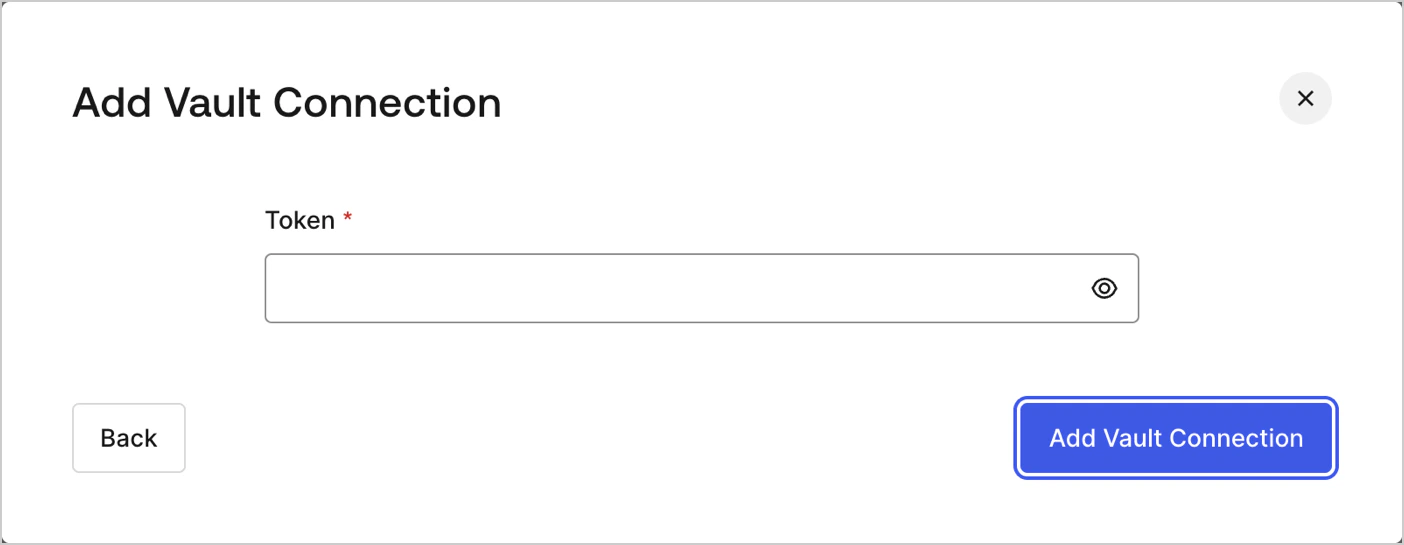
To configure a Vault connection for your WhatsApp actions, you will need a **Token**:

<Frame>
  <img src="https://mintcdn.com/docs-staging-quickstart-revamp/AmyDKn5Na0kFZtbL/images/cdy7uua7fh8z/1Qevi3V1UbkUjb6c51x6R4/44590932bdced6e50afa436835c7cb15/whatsapp-vault-connection.png?fit=max&auto=format&n=AmyDKn5Na0kFZtbL&q=85&s=6d45627afedbb080890fe0847c192f31" alt="Dashboard > Actions > Forms > Flows > actions > WhatsApp" data-og-width="1404" width="1404" data-og-height="545" height="545" data-path="images/cdy7uua7fh8z/1Qevi3V1UbkUjb6c51x6R4/44590932bdced6e50afa436835c7cb15/whatsapp-vault-connection.png" data-optimize="true" data-opv="3" srcset="https://mintcdn.com/docs-staging-quickstart-revamp/AmyDKn5Na0kFZtbL/images/cdy7uua7fh8z/1Qevi3V1UbkUjb6c51x6R4/44590932bdced6e50afa436835c7cb15/whatsapp-vault-connection.png?w=280&fit=max&auto=format&n=AmyDKn5Na0kFZtbL&q=85&s=8430a2d54ed6eadc9ce394e735b85d7a 280w, https://mintcdn.com/docs-staging-quickstart-revamp/AmyDKn5Na0kFZtbL/images/cdy7uua7fh8z/1Qevi3V1UbkUjb6c51x6R4/44590932bdced6e50afa436835c7cb15/whatsapp-vault-connection.png?w=560&fit=max&auto=format&n=AmyDKn5Na0kFZtbL&q=85&s=25b03861e8c0d2abca8fe306d1f0076c 560w, https://mintcdn.com/docs-staging-quickstart-revamp/AmyDKn5Na0kFZtbL/images/cdy7uua7fh8z/1Qevi3V1UbkUjb6c51x6R4/44590932bdced6e50afa436835c7cb15/whatsapp-vault-connection.png?w=840&fit=max&auto=format&n=AmyDKn5Na0kFZtbL&q=85&s=e86714471638ac5239e83eb7aa5898c1 840w, https://mintcdn.com/docs-staging-quickstart-revamp/AmyDKn5Na0kFZtbL/images/cdy7uua7fh8z/1Qevi3V1UbkUjb6c51x6R4/44590932bdced6e50afa436835c7cb15/whatsapp-vault-connection.png?w=1100&fit=max&auto=format&n=AmyDKn5Na0kFZtbL&q=85&s=e4dbeb41ffb926775a9fc26c0a7a8c26 1100w, https://mintcdn.com/docs-staging-quickstart-revamp/AmyDKn5Na0kFZtbL/images/cdy7uua7fh8z/1Qevi3V1UbkUjb6c51x6R4/44590932bdced6e50afa436835c7cb15/whatsapp-vault-connection.png?w=1650&fit=max&auto=format&n=AmyDKn5Na0kFZtbL&q=85&s=cfb50205a2e4ed4b51bf5297e2b67273 1650w, https://mintcdn.com/docs-staging-quickstart-revamp/AmyDKn5Na0kFZtbL/images/cdy7uua7fh8z/1Qevi3V1UbkUjb6c51x6R4/44590932bdced6e50afa436835c7cb15/whatsapp-vault-connection.png?w=2500&fit=max&auto=format&n=AmyDKn5Na0kFZtbL&q=85&s=62e7995d2da219877a24e123441ee3da 2500w" />
</Frame>

To learn how to generate a token, read [using authorization tokens for WhatsApp](https://developers.facebook.com/blog/post/2022/12/05/auth-tokens/).

## Send message

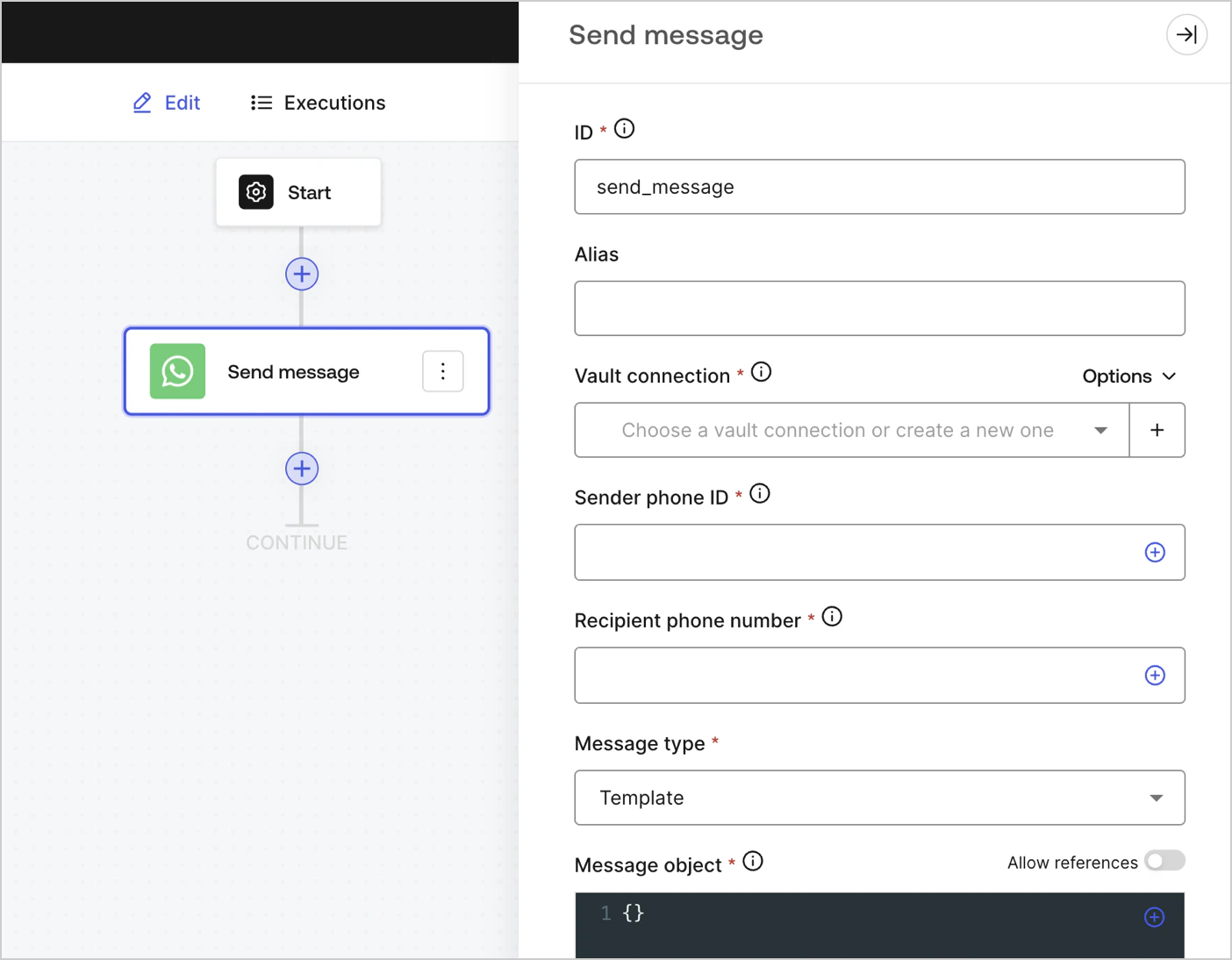
Sends a message.
<Frame>
  <img src="https://mintcdn.com/docs-staging-quickstart-revamp/rHYM5iMy6d7A-FVR/images/cdy7uua7fh8z/5zZPQw5KKYwBqxbR9jF1wZ/edba085456e3536f5167ff4c21bea77c/whatsapp.png?fit=max&auto=format&n=rHYM5iMy6d7A-FVR&q=85&s=9123da3ef7f112f542e21d30a46cf481" alt="" width="1404" height="1094" data-path="images/cdy7uua7fh8z/5zZPQw5KKYwBqxbR9jF1wZ/edba085456e3536f5167ff4c21bea77c/whatsapp.png" />
</Frame>

### Input settings

<table class="table">
  <thead>
    <tr>
      <th><b>Parameter</b></th>
      <th><b>Description</b></th>
    </tr>
  </thead>

  <tbody>
    <tr>
      <td>Sender phone ID (required)</td>
      <td>The sender phone ID can be found in the  <a href="https://developers.facebook.com/apps">Facebook Business Manager WhatsAPP settings</a>. Note that it is not a phone number.</td>
    </tr>

    <tr>
      <td>Recipient phone number (required)</td>
      <td>The recipients' phone number in <a href="https://en.wikipedia.org/wiki/E.164">E.164 format</a>.</td>
    </tr>

    <tr>
      <td>
        Message type (required)
      </td>

      <td>
        Select from the dropdown menu the message type. They can be:

        <ul>
          <li>Audio</li>
          <li>Contacts</li>
          <li>Document</li>
          <li>Image</li>
          <li>Interactive</li>
          <li>Location</li>
          <li>Sticker</li>
          <li>Template</li>
          <li>Text</li>
        </ul>
      </td>
    </tr>

    <tr>
      <td>
        Message object (required)
      </td>

      <td>
        The content of the message object will differ based on the selected message type. To learn more, read  <a href="https://developers.facebook.com/docs/whatsapp/cloud-api/reference/messages">Messages</a>.
      </td>
    </tr>
  </tbody>
</table>

### Output settings

You can find all expected status codes at [Facebook's documentation](https://developers.facebook.com/docs/whatsapp/cloud-api/support/error-codes).