> ## Documentation Index
> Fetch the complete documentation index at: https://docs-staging-quickstart-revamp.mintlify.site/llms.txt
> Use this file to discover all available pages before exploring further.

> Learn how to configure your SendGrid flow actions to send emails.

# SendGrid

## Configure your Vault connection

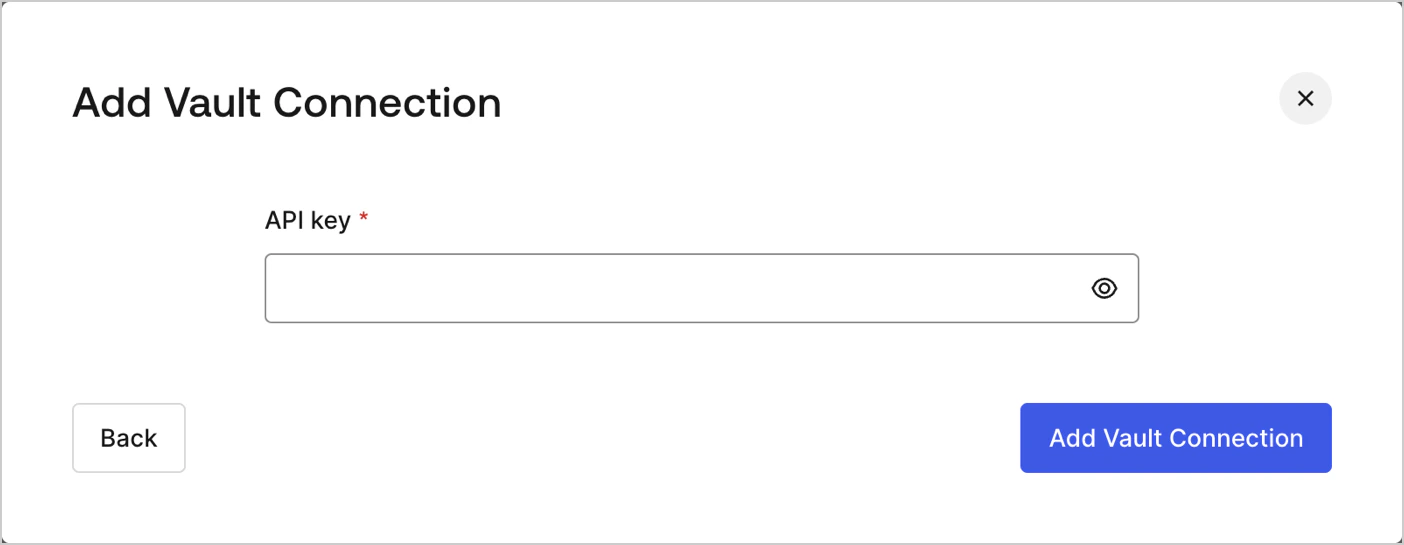
To configure a Vault connection for your SendGrid actions, you will need an **API key:**

<Frame>
  <img src="https://mintcdn.com/docs-staging-quickstart-revamp/jp6vZz7DhptSlPIu/images/cdy7uua7fh8z/7qruolnilHd2RUvA3dGKfV/a278873b5b0564364bfdd9e15ca1d5cf/sendgrid-vault-connection.png?fit=max&auto=format&n=jp6vZz7DhptSlPIu&q=85&s=a704185d65b7fc0a691f94499c40914f" alt="Dashboard > Actions > Forms > Flows > actions > SendGrid" data-og-width="1404" width="1404" data-og-height="545" height="545" data-path="images/cdy7uua7fh8z/7qruolnilHd2RUvA3dGKfV/a278873b5b0564364bfdd9e15ca1d5cf/sendgrid-vault-connection.png" data-optimize="true" data-opv="3" srcset="https://mintcdn.com/docs-staging-quickstart-revamp/jp6vZz7DhptSlPIu/images/cdy7uua7fh8z/7qruolnilHd2RUvA3dGKfV/a278873b5b0564364bfdd9e15ca1d5cf/sendgrid-vault-connection.png?w=280&fit=max&auto=format&n=jp6vZz7DhptSlPIu&q=85&s=d03d4e90459ee790f8af9200b56abb59 280w, https://mintcdn.com/docs-staging-quickstart-revamp/jp6vZz7DhptSlPIu/images/cdy7uua7fh8z/7qruolnilHd2RUvA3dGKfV/a278873b5b0564364bfdd9e15ca1d5cf/sendgrid-vault-connection.png?w=560&fit=max&auto=format&n=jp6vZz7DhptSlPIu&q=85&s=44e6146b62c12af971c16f9a5b05c656 560w, https://mintcdn.com/docs-staging-quickstart-revamp/jp6vZz7DhptSlPIu/images/cdy7uua7fh8z/7qruolnilHd2RUvA3dGKfV/a278873b5b0564364bfdd9e15ca1d5cf/sendgrid-vault-connection.png?w=840&fit=max&auto=format&n=jp6vZz7DhptSlPIu&q=85&s=9d1e39c580b0cea78b650e0151052cce 840w, https://mintcdn.com/docs-staging-quickstart-revamp/jp6vZz7DhptSlPIu/images/cdy7uua7fh8z/7qruolnilHd2RUvA3dGKfV/a278873b5b0564364bfdd9e15ca1d5cf/sendgrid-vault-connection.png?w=1100&fit=max&auto=format&n=jp6vZz7DhptSlPIu&q=85&s=a3f85abad95fd9c329125b370ba53de7 1100w, https://mintcdn.com/docs-staging-quickstart-revamp/jp6vZz7DhptSlPIu/images/cdy7uua7fh8z/7qruolnilHd2RUvA3dGKfV/a278873b5b0564364bfdd9e15ca1d5cf/sendgrid-vault-connection.png?w=1650&fit=max&auto=format&n=jp6vZz7DhptSlPIu&q=85&s=b853cbcf4be2e62843389eddddc1e1b1 1650w, https://mintcdn.com/docs-staging-quickstart-revamp/jp6vZz7DhptSlPIu/images/cdy7uua7fh8z/7qruolnilHd2RUvA3dGKfV/a278873b5b0564364bfdd9e15ca1d5cf/sendgrid-vault-connection.png?w=2500&fit=max&auto=format&n=jp6vZz7DhptSlPIu&q=85&s=90aa20a59b7e8ba99a74795760a6d8bc 2500w" />
</Frame>

It can be found at [SendGrid dashboard's](https://app.sendgrid.com/settings/api_keys) Settings page under the API keys.

## Send email

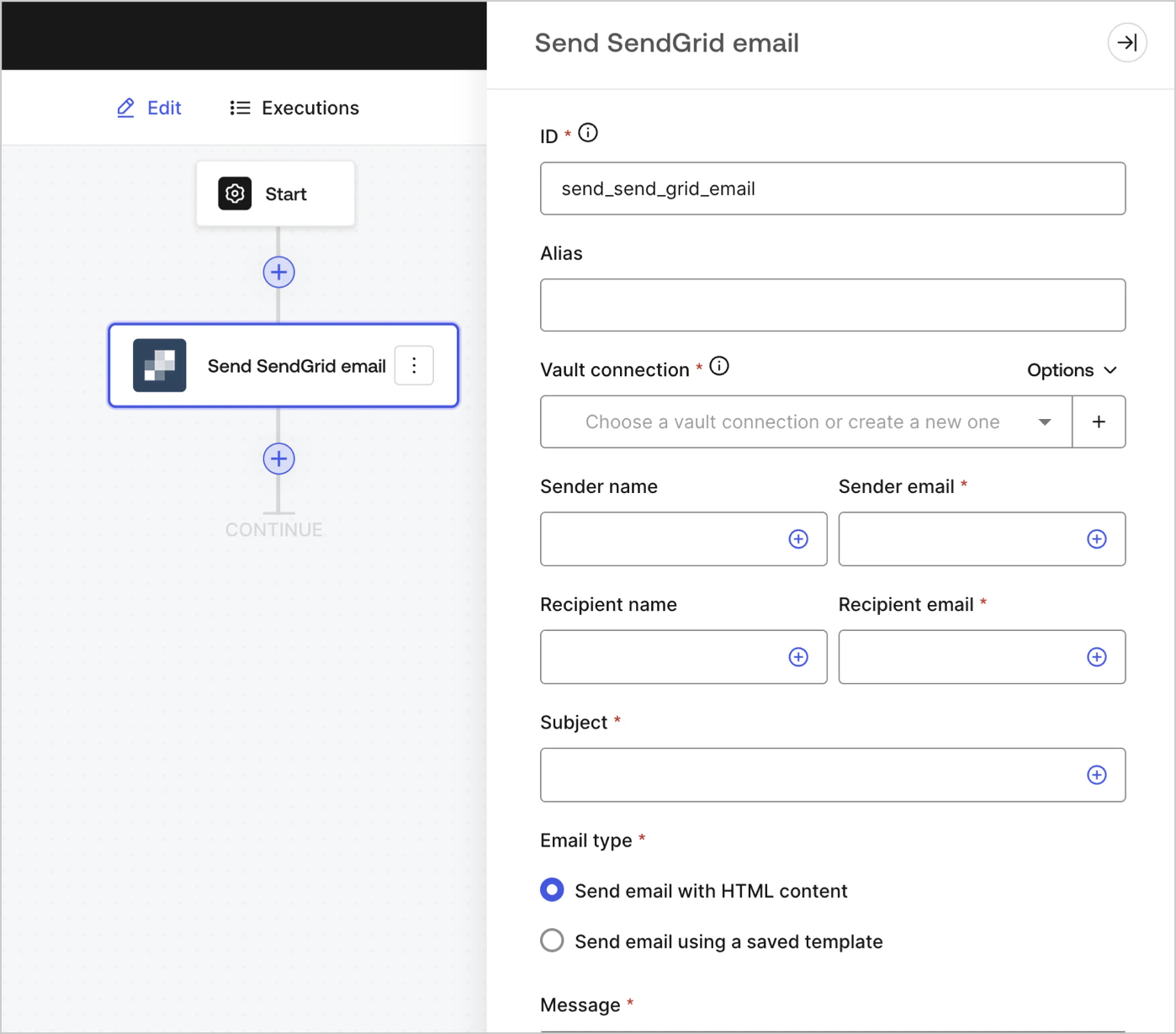
Send an email using SendGrid as the email provider.
<Frame>
  <img src="https://mintcdn.com/docs-staging-quickstart-revamp/d9I4PO9-WombE4fE/images/cdy7uua7fh8z/3pT7MZCTVhcL9ueeke0HqQ/8583aedc27af021fe6a62430c6d59adf/sendGrid.png?fit=max&auto=format&n=d9I4PO9-WombE4fE&q=85&s=a04b57e332884979ad45298cd6210d8d" alt="" width="1398" height="1229" data-path="images/cdy7uua7fh8z/3pT7MZCTVhcL9ueeke0HqQ/8583aedc27af021fe6a62430c6d59adf/sendGrid.png" />
</Frame>

### Input settings

<table class="table">
  <thead>
    <tr>
      <th><b>Parameter</b></th>
      <th><b>Description</b></th>
    </tr>
  </thead>

  <tbody>
    <tr>
      <td>Sender name</td>
      <td>The sender's name</td>
    </tr>

    <tr>
      <td>Sender email (required)</td>
      <td>The sender's email</td>
    </tr>

    <tr>
      <td>Recipient name</td>
      <td>The recipient's name</td>
    </tr>

    <tr>
      <td>Recipient email (required)</td>
      <td>The recipient's email</td>
    </tr>

    <tr>
      <td>Subject (required)</td>
      <td>The email subject</td>
    </tr>

    <tr>
      <td>Email type (required)</td>
      <td>Send email with HTML content or using a saved template (optional)</td>
    </tr>

    <tr>
      <td>Message (required)</td>
      <td>Email message in HTML format or a template (optional).</td>
    </tr>

    <tr>
      <td>Template ID (optional)</td>
      <td>If using a template, its ID can be found at <a href="https://mc.sendgrid.com/dynamic-templates"> SendGrid dashboard </a>. </td>
    </tr>

    <tr>
      <td>Custom variables (optional)</td>
      <td>Add custom variables to be inserted in your template. </td>
    </tr>
  </tbody>
</table>

### Output settings

You can find the expected response and status codes at [SendGrid's documentation](https://www.twilio.com/docs/sendgrid/api-reference/mail-send/mail-send).