> ## Documentation Index
> Fetch the complete documentation index at: https://docs-staging-quickstart-revamp.mintlify.site/llms.txt
> Use this file to discover all available pages before exploring further.

> Learn how to configure your Auth0 flow actions to retrieve and update user's profile information or create new users.

# Auth0

This list of Auth0 actions allows you to get, create, and update users.

## Configure your Vault connection

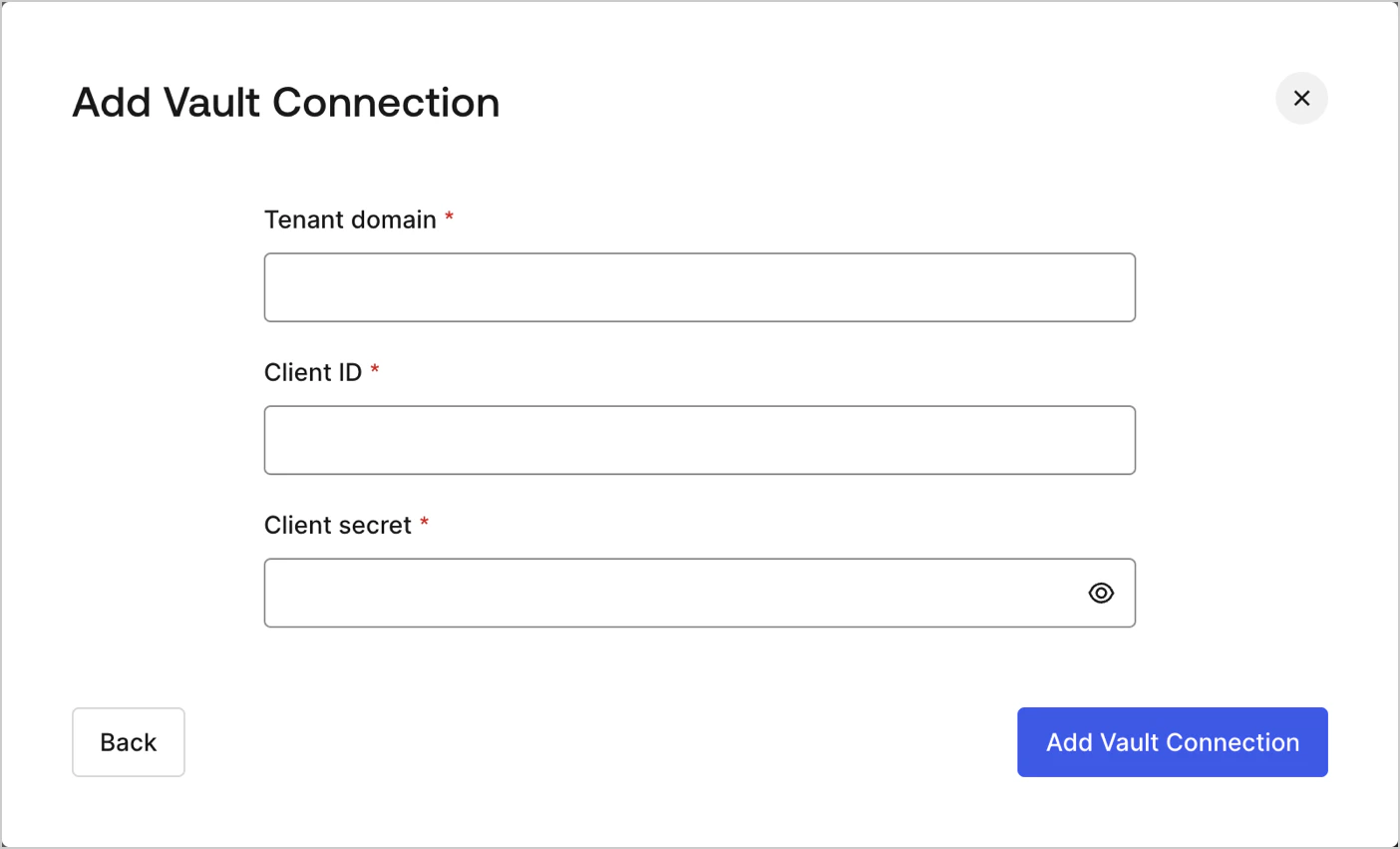
To configure a Vault connection for your Auth0 actions, you will need to [create a Machine-to-Machine](/docs/get-started/auth0-overview/create-applications/machine-to-machine-apps) application and use **Tenant domain, <Tooltip tip="Client ID: Identification value given to your registered resource from Auth0." cta="View Glossary" href="/docs/glossary?term=Client+ID">Client ID</Tooltip> and <Tooltip tip="Client ID: Identification value given to your registered resource from Auth0." cta="View Glossary" href="/docs/glossary?term=Client+Secret">Client Secret</Tooltip>**:

<Frame>
  <img src="https://mintcdn.com/docs-staging-quickstart-revamp/AmyDKn5Na0kFZtbL/images/cdy7uua7fh8z/1IPtH5hD6QTRXsySyo2Ovr/3562828624e2fd4f308b6eb3b5042f34/auth0-vault-connection.png?fit=max&auto=format&n=AmyDKn5Na0kFZtbL&q=85&s=6cdc13206cb8fa339b5b6987a257e38a" alt="" width="1404" height="851" data-path="images/cdy7uua7fh8z/1IPtH5hD6QTRXsySyo2Ovr/3562828624e2fd4f308b6eb3b5042f34/auth0-vault-connection.png" />
</Frame>

<Warning>
  Remember to authorize your Machine-to-Machine application to access the Management API and select the right scopes (eg. `update:users_app_metadata`).
</Warning>

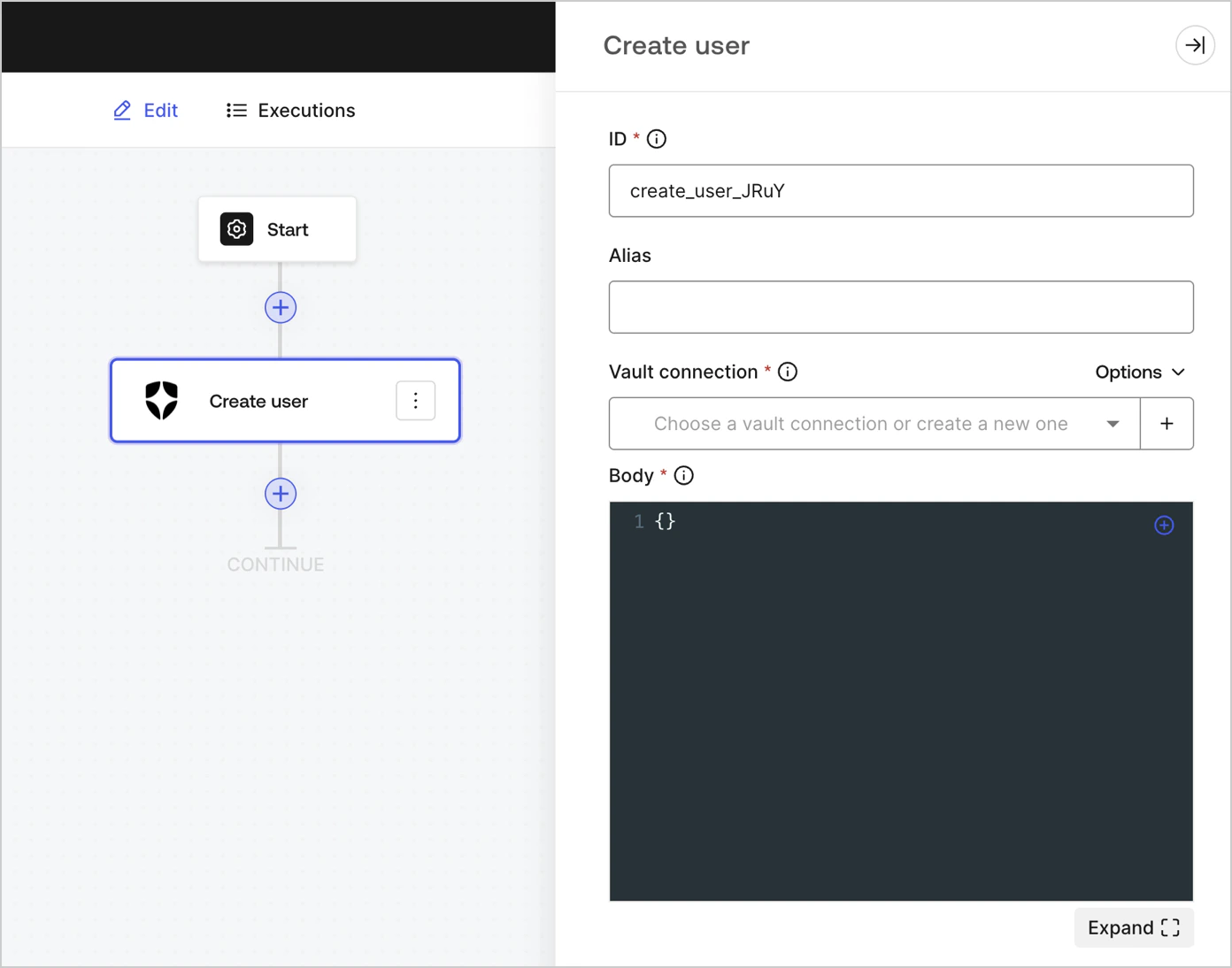
## Create user

Create a user.

<Frame>
  <img src="https://mintcdn.com/docs-staging-quickstart-revamp/0yzvW89mU3tfXF-c/images/cdy7uua7fh8z/6MQIKf2IpTtI2g7d5Pwn7u/222ec746cf9c0c1003d18ba4c0aa451e/create_user.png?fit=max&auto=format&n=0yzvW89mU3tfXF-c&q=85&s=e74c58bac756a6b19ea4638a204cf3d2" alt="" width="1392" height="1094" data-path="images/cdy7uua7fh8z/6MQIKf2IpTtI2g7d5Pwn7u/222ec746cf9c0c1003d18ba4c0aa451e/create_user.png" />
</Frame>

### Input settings

<table class="table">
  <thead>
    <tr>
      <th><b>Parameter</b></th>
      <th><b>Description</b></th>
    </tr>
  </thead>

  <tbody>
    <tr>
      <td>Body</td>
      <td>The payload of Auth0 user properties to add. To learn more, read <a href="https://auth0.com/docs/api/management/v2/users/post-users">Create a user</a>  API documentation. </td>
    </tr>
  </tbody>
</table>

### Output settings

You can find the expected response and status codes at [Create a user](https://auth0.com/docs/api/management/v2/users/post-users#response-messages) API documentation.

## Get user

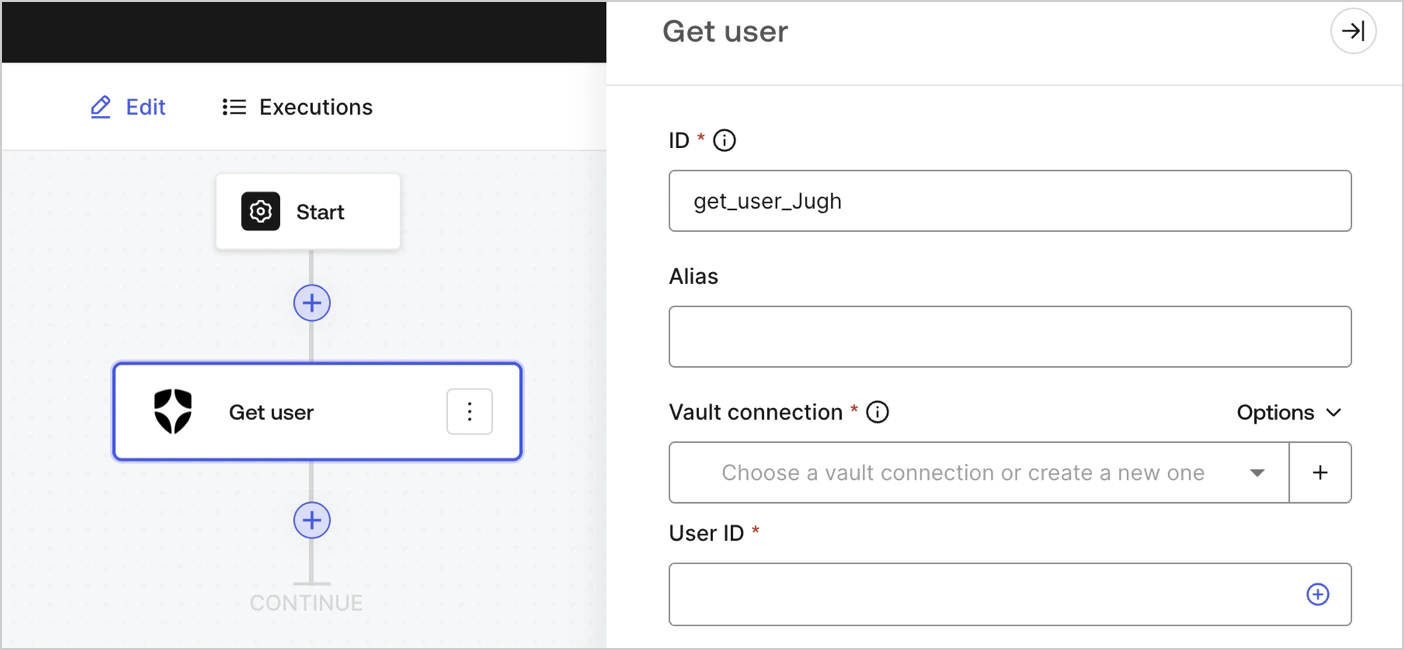
Retrieve user details.

<Frame>
  <img src="https://mintcdn.com/docs-staging-quickstart-revamp/TO6FS4AgTzQGgpsU/images/cdy7uua7fh8z/3GoNZsXOvMTYRtMQNj00mm/6e92d94cee7b165479c688358a5df242/Screenshot_2024-11-18_at_16.31.49.png?fit=max&auto=format&n=TO6FS4AgTzQGgpsU&q=85&s=f8e44abd7c733e4986b9a0e398e6066b" alt="" width="1404" height="650" data-path="images/cdy7uua7fh8z/3GoNZsXOvMTYRtMQNj00mm/6e92d94cee7b165479c688358a5df242/Screenshot_2024-11-18_at_16.31.49.png" />
</Frame>

### Input settings

<table class="table">
  <thead>
    <tr>
      <th><b>Parameter</b></th>
      <th><b>Description</b></th>
    </tr>
  </thead>

  <tbody>
    <tr>
      <td>User ID</td>
      <td>ID of the user to retrieve. To learn more, read \<a api="" auth0.com="" docs="" get-users-by-id="" https:="" management="" users="" v2="">Get a user\</a>  API documentation. </td>
    </tr>
  </tbody>
</table>

### Output settings

You can find the expected response and status codes at [Get a user](https://auth0.com/docs/api/management/v2/users/get-users-by-id#response-messages) API documentation.

## Update user

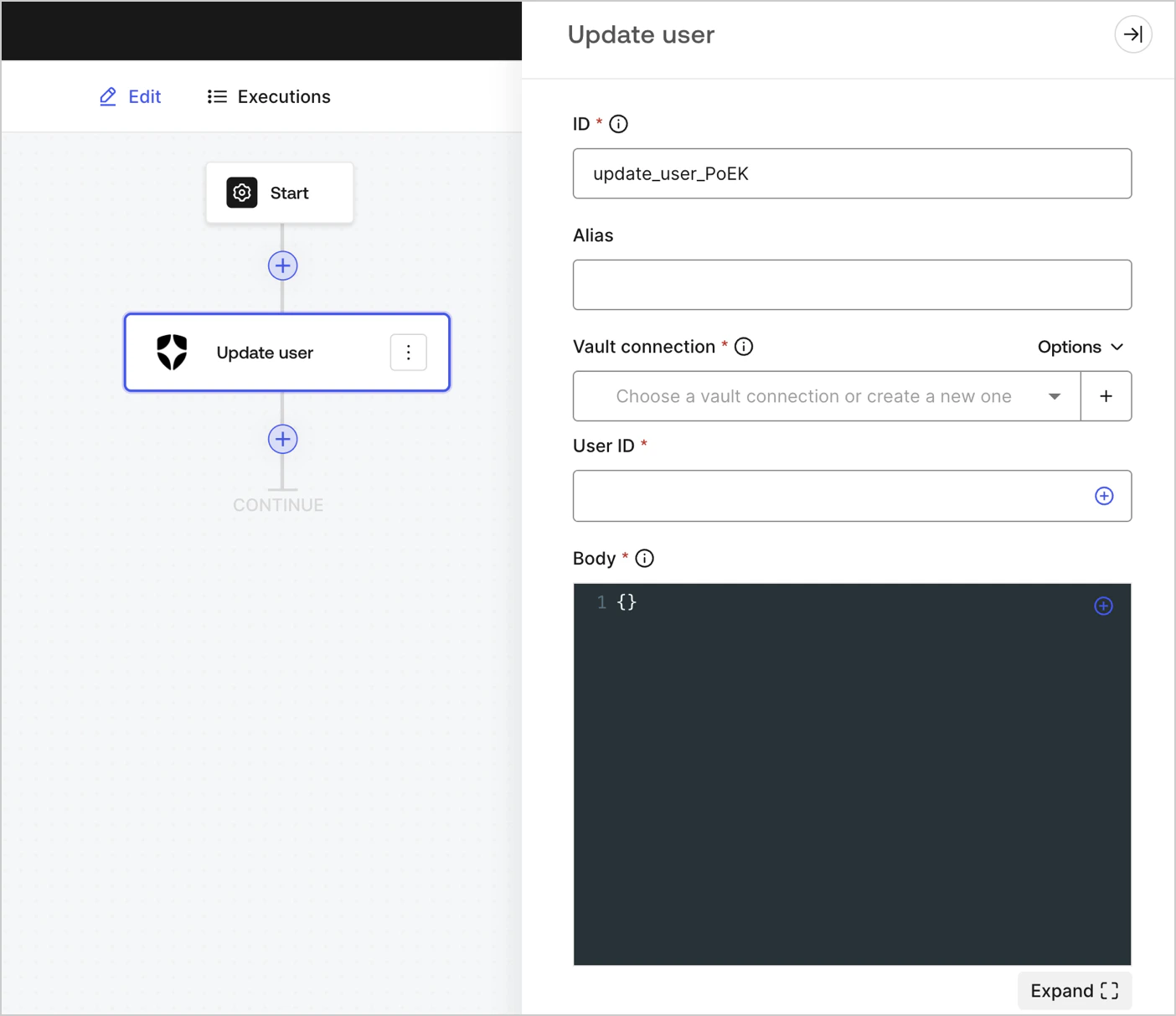
Update a user.

<Frame>
  <img src="https://mintcdn.com/docs-staging-quickstart-revamp/d9I4PO9-WombE4fE/images/cdy7uua7fh8z/3tymSpaeod6EksWRJp1sge/1122b244d756d754fe41baac209a132b/Screenshot_2024-11-18_at_16.49.56.png?fit=max&auto=format&n=d9I4PO9-WombE4fE&q=85&s=182fb5ce2228c03857ae187ccb3c7885" alt="" width="1404" height="1213" data-path="images/cdy7uua7fh8z/3tymSpaeod6EksWRJp1sge/1122b244d756d754fe41baac209a132b/Screenshot_2024-11-18_at_16.49.56.png" />
</Frame>

### Input settings

<table class="table">
  <thead>
    <tr>
      <th><b>Parameter</b></th>
      <th><b>Description</b></th>
    </tr>
  </thead>

  <tbody>
    <tr>
      <td>User ID</td>
      <td>ID of the user to update.</td>
    </tr>

    <tr>
      <td>Body</td>
      <td>The payload of Auth0 user properties to update. To learn more, read <a href="https://auth0.com/docs/api/management/v2/users/patch-users-by-id">Update a user</a>  API documentation. </td>
    </tr>
  </tbody>
</table>

### Output settings

You can find the expected response and status codes at [Update a user](https://auth0.com/docs/api/management/v2/users/patch-users-by-id#response-messages) API documentation.

## Custom API Request

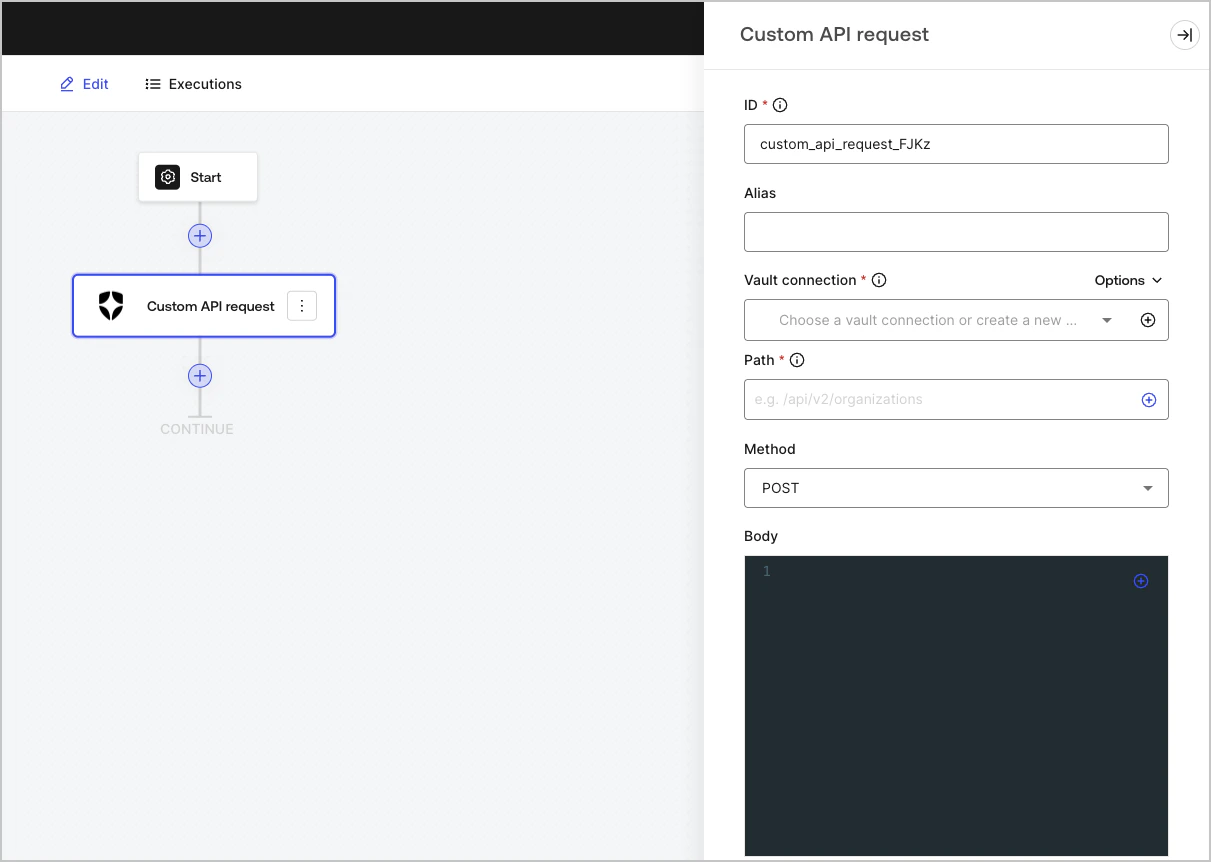
Send a custom API request to Auth0 API endpoints.

<Frame>
  <img src="https://mintcdn.com/docs-staging-quickstart-revamp/rHYM5iMy6d7A-FVR/images/cdy7uua7fh8z/66uV9iuhwfnXUdE1quLOyx/2ae3ff26335acbcd172cbb40618a5a90/Screenshot_2025-01-24_at_18.50.26.png?fit=max&auto=format&n=rHYM5iMy6d7A-FVR&q=85&s=2a67e3b9fbe6b2a8a8c4a4f410ec19d2" alt="Dashboard > Customize > Flows > Integrations > Auth0" data-og-width="1211" width="1211" data-og-height="862" height="862" data-path="images/cdy7uua7fh8z/66uV9iuhwfnXUdE1quLOyx/2ae3ff26335acbcd172cbb40618a5a90/Screenshot_2025-01-24_at_18.50.26.png" data-optimize="true" data-opv="3" srcset="https://mintcdn.com/docs-staging-quickstart-revamp/rHYM5iMy6d7A-FVR/images/cdy7uua7fh8z/66uV9iuhwfnXUdE1quLOyx/2ae3ff26335acbcd172cbb40618a5a90/Screenshot_2025-01-24_at_18.50.26.png?w=280&fit=max&auto=format&n=rHYM5iMy6d7A-FVR&q=85&s=236b022e155d3249a40ed0248507f811 280w, https://mintcdn.com/docs-staging-quickstart-revamp/rHYM5iMy6d7A-FVR/images/cdy7uua7fh8z/66uV9iuhwfnXUdE1quLOyx/2ae3ff26335acbcd172cbb40618a5a90/Screenshot_2025-01-24_at_18.50.26.png?w=560&fit=max&auto=format&n=rHYM5iMy6d7A-FVR&q=85&s=82d0aab487a93fcf39a4633e957ec7f3 560w, https://mintcdn.com/docs-staging-quickstart-revamp/rHYM5iMy6d7A-FVR/images/cdy7uua7fh8z/66uV9iuhwfnXUdE1quLOyx/2ae3ff26335acbcd172cbb40618a5a90/Screenshot_2025-01-24_at_18.50.26.png?w=840&fit=max&auto=format&n=rHYM5iMy6d7A-FVR&q=85&s=aacd1ceacdfce101f256cf77d4cc803c 840w, https://mintcdn.com/docs-staging-quickstart-revamp/rHYM5iMy6d7A-FVR/images/cdy7uua7fh8z/66uV9iuhwfnXUdE1quLOyx/2ae3ff26335acbcd172cbb40618a5a90/Screenshot_2025-01-24_at_18.50.26.png?w=1100&fit=max&auto=format&n=rHYM5iMy6d7A-FVR&q=85&s=c5d1e1dcf8c383760bbc4b6fa464fc29 1100w, https://mintcdn.com/docs-staging-quickstart-revamp/rHYM5iMy6d7A-FVR/images/cdy7uua7fh8z/66uV9iuhwfnXUdE1quLOyx/2ae3ff26335acbcd172cbb40618a5a90/Screenshot_2025-01-24_at_18.50.26.png?w=1650&fit=max&auto=format&n=rHYM5iMy6d7A-FVR&q=85&s=53951fe872a6c50bc36bb5d2ad10318e 1650w, https://mintcdn.com/docs-staging-quickstart-revamp/rHYM5iMy6d7A-FVR/images/cdy7uua7fh8z/66uV9iuhwfnXUdE1quLOyx/2ae3ff26335acbcd172cbb40618a5a90/Screenshot_2025-01-24_at_18.50.26.png?w=2500&fit=max&auto=format&n=rHYM5iMy6d7A-FVR&q=85&s=3e00ed58c9085f4462b4523afd0de15c 2500w" />
</Frame>

### Input settings

<table class="table">
  <thead>
    <tr>
      <th><b>Parameter</b></th>
      <th><b>Description</b></th>
    </tr>
  </thead>

  <tbody>
    <tr>
      <td>
        Path
      </td>

      <td>
        The API endpoint absolute pathname.
        <br />( Example: <code>/api/v2/organizations</code> )
        <br /> <b>Note:</b> Some endpoints, for example: <a href="https://auth0.com/docs/api/management/v2/users/get-users-by-id"> Get a user </a>, require URI encoded parameters when not using alphanumeric characters, such as: <code>-</code>, <code>.</code>, <code>\_</code>, or <code>\~</code>, <a href="https://datatracker.ietf.org/doc/html/rfc3986#section-2.3"> characters </a>).
        <br />To do this, you can use the encodeURIComponent function:  <br />`{{ functions.encodeURIComponent(context.user.user_id) }}`
      </td>
    </tr>

    <tr>
      <td>
        Method
      </td>

      <td>
        Available HTTP methods include:

        <ul>
          <li><code>GET</code></li>
          <li><code>POST</code></li>
          <li><code>PUT</code></li>
          <li><code>PATCH</code></li>
          <li><code>DELETE</code></li>
        </ul>
      </td>
    </tr>

    <tr>
      <td>Body</td>
      <td>The body of the request. </td>
    </tr>

    <tr>
      <td>Headers</td>
      <td>The headers of the request. </td>
    </tr>

    <tr>
      <td>URL Params</td>
      <td>The URL parameters. These parameters are automatically URL-encoded. </td>
    </tr>
  </tbody>
</table>

### Output settings

You can find the expected response and status codes at [Auth0 Management API](https://auth0.com/docs/api/management/v2/introduction) documentation.