> ## Documentation Index
> Fetch the complete documentation index at: https://docs-staging-quickstart-revamp.mintlify.site/llms.txt
> Use this file to discover all available pages before exploring further.

> Learn how to brand, customize, and localize your login pages, domain names, emails sent to users, and consent prompts.

# Customize

export const AuthDocsPipeline = ({activeId}) => {
  const [hoveredId, setHoveredId] = useState(null);
  const VB_WIDTH = 1202;
  const VB_HEIGHT = 424;
  const AUTH_GROUP = new Set(['authenticate', 'provision-db', 'provision-social', 'add-login']);
  const CUSTOM_GROUP = new Set(['customize', 'brand', 'actions', 'extensions']);
  const STEPS = [{
    id: 'get-started',
    href: '/docs/get-started',
    cx: 53.7447,
    cy: 140.5572,
    r: 52
  }, {
    id: 'authenticate',
    href: '/docs/authenticate',
    cx: 239.164,
    cy: 140.5572,
    r: 52
  }, {
    id: 'manage-users',
    href: '/docs/manage-users',
    cx: 515.135,
    cy: 140.5572,
    r: 52
  }, {
    id: 'customize',
    href: '/docs/customize',
    cx: 791.106,
    cy: 140.5572,
    r: 52
  }, {
    id: 'deploy',
    href: '/docs/deploy-monitor',
    cx: 1147.57,
    cy: 140.5572,
    r: 52
  }, {
    id: 'secure',
    href: '/docs/secure',
    cx: 974,
    cy: 224,
    r: 44
  }, {
    id: 'provision-db',
    href: '/docs/authenticate#provision–database',
    cx: 67,
    cy: 410,
    r: 42
  }, {
    id: 'provision-social',
    href: '/docs/authenticate#provision–social',
    cx: 167,
    cy: 410,
    r: 42
  }, {
    id: 'add-login',
    href: '/docs/authenticate#add-login',
    cx: 312,
    cy: 410,
    r: 42
  }, {
    id: 'brand',
    href: '/docs/customize#brand',
    cx: 720,
    cy: 410,
    r: 42
  }, {
    id: 'actions',
    href: '/docs/customize#actions',
    cx: 864,
    cy: 410,
    r: 42
  }, {
    id: 'extensions',
    href: '/docs/customize#extensions',
    cx: 964,
    cy: 410,
    r: 42
  }];
  const addGroupToSet = (id, set) => {
    if (!id) return;
    if (AUTH_GROUP.has(id)) {
      AUTH_GROUP.forEach(gid => set.add(gid));
    } else if (CUSTOM_GROUP.has(id)) {
      CUSTOM_GROUP.forEach(gid => set.add(gid));
    } else {
      set.add(id);
    }
  };
  const lit = new Set();
  addGroupToSet(activeId, lit);
  addGroupToSet(hoveredId, lit);
  return <div className="pipeline-wrapper">
      <img src="/images/site-graph.svg" alt="Auth0 docs pipeline" className="pipeline-img block dark:hidden" noZoom />
      <img src="/images/site-graph-dark.svg" alt="Auth0 docs pipeline" className="pipeline-img hidden dark:block" noZoom />

      {STEPS.map(({id, cx, cy, r}) => {
    if (lit.has(id)) return null;
    const left = (cx - r) / VB_WIDTH * 100;
    const top = (cy - r) / VB_HEIGHT * 100;
    const size = 2 * r / VB_WIDTH * 100;
    return <div key={`dim-${id}`} className="pipeline-dim-circle" style={{
      left: `${left}%`,
      top: `${top}%`,
      width: `${size}%`
    }} />;
  })}

      {STEPS.map(({id, href, cx, cy, r}) => {
    const left = (cx - r) / VB_WIDTH * 100;
    const top = (cy - r) / VB_HEIGHT * 100;
    const size = 2 * r / VB_WIDTH * 100;
    return <a key={id} href={href} aria-label={id} className={`pipeline-hotspot${lit.has(id) ? ' lit' : ''}`} style={{
      left: `${left}%`,
      top: `${top}%`,
      width: `${size}%`
    }} onMouseEnter={() => setHoveredId(id)} onMouseLeave={() => setHoveredId(null)} />;
  })}
    </div>;
};

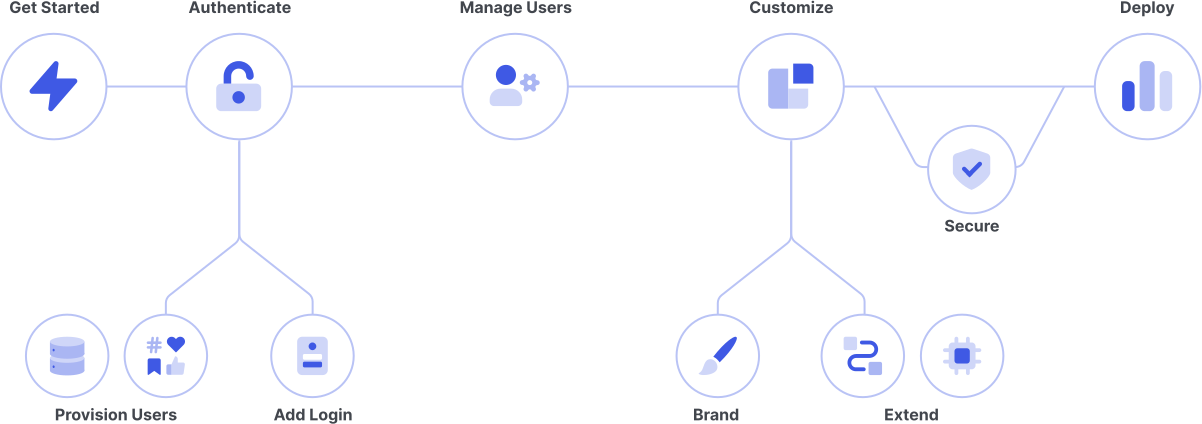
<AuthDocsPipeline activeId="customize" />

Auth0 lets you customize your users’ entire authentication experience. You can:

* Brand and internationalize all interaction with end users
* Define your own logic to customize and extend how Auth0 works
* Integrate Auth0 with third-party software to add capabilities

***

## Brand Customization

##### Seamlessly integrate Auth0 with your own brand and localize the experience for international users.

<Card title="Customize Login Pages" href="/docs/customize/login-pages">
  Customize the Universal Login and Classic Login experiences
</Card>

<Card title="Custom Domains" href="/docs/customize/custom-domains">
  Unify the login experience with your own brand and products.
</Card>

<Card title="Customize Emails" href="/docs/customize/email">
  Brand and modify the content and flow of email to end users.
</Card>

<Card title="Customize Multi-factor Authentication SMS and Voice Messages" href="/docs/customize/customize-sms-or-voice-messages">
  Learn how to customize SMS and voice messages sent by Auth0 during enrollment and verification.
</Card>

<Card title="Internationalization and Localization" href="/docs/customize/internationalization-and-localization">
  Learn how to handle different languages within your Auth0 applications.
</Card>

***

## Code Customization

##### Create Actions to customize and extend Auth0’s capabilities with custom logic. Or maintain legacy Rules and Hooks.

<Card title="Actions" href="/docs/customize/actions">
  Customize Auth0 capabilities with secure, tenant-specific, versioned functions that execute at certain points during the Auth0 runtime.
</Card>

<Card title="Events" href="/docs/customize/events">
  Use Auth0 Events to build event streams.
</Card>

<Card title="Forms" href="/docs/customize/forms">
  Extend your identity flows with additional steps and custom logic with Forms.
</Card>

<Card title="Rules" href="/docs/customize/rules">
  Maintain legacy rules that your applications use in the authentication pipeline.
</Card>

<Card title="Hooks" href="/docs/customize/hooks">
  Maintain legacy hooks for selected extensibility points of the Auth0 platform.
</Card>

***

## Third-Party Customization

##### Take advantage of third-party integrations and Auth0 extensions to expand what Auth0 can do for your systems.

<Card title="Extensions" href="/docs/customize/extensions">
  Use Auth0 Extensions to install applications or run commands/scripts that extend the capabilities of the Auth0 base product.
</Card>

<Card title="Integrations" href="/docs/customize/integrations">
  Reduce implementation time with Auth0-reviewed integrations you can trust.
</Card>

<Card title="Log Streams" href="/docs/customize/log-streams">
  Monitor and respond to events such as changed passwords or new registrations with your own business logic.
</Card>
