> ## Documentation Index
> Fetch the complete documentation index at: https://docs-staging-quickstart-revamp.mintlify.site/llms.txt
> Use this file to discover all available pages before exploring further.

> Learn all about how to authenticate using Auth0.

# Authenticate

export const AuthDocsPipeline = ({activeId}) => {
  const [hoveredId, setHoveredId] = useState(null);
  const VB_WIDTH = 1202;
  const VB_HEIGHT = 424;
  const AUTH_GROUP = new Set(['authenticate', 'provision-db', 'provision-social', 'add-login']);
  const CUSTOM_GROUP = new Set(['customize', 'brand', 'actions', 'extensions']);
  const STEPS = [{
    id: 'get-started',
    href: '/docs/get-started',
    cx: 53.7447,
    cy: 140.5572,
    r: 52
  }, {
    id: 'authenticate',
    href: '/docs/authenticate',
    cx: 239.164,
    cy: 140.5572,
    r: 52
  }, {
    id: 'manage-users',
    href: '/docs/manage-users',
    cx: 515.135,
    cy: 140.5572,
    r: 52
  }, {
    id: 'customize',
    href: '/docs/customize',
    cx: 791.106,
    cy: 140.5572,
    r: 52
  }, {
    id: 'deploy',
    href: '/docs/deploy-monitor',
    cx: 1147.57,
    cy: 140.5572,
    r: 52
  }, {
    id: 'secure',
    href: '/docs/secure',
    cx: 974,
    cy: 224,
    r: 44
  }, {
    id: 'provision-db',
    href: '/docs/authenticate#provision–database',
    cx: 67,
    cy: 410,
    r: 42
  }, {
    id: 'provision-social',
    href: '/docs/authenticate#provision–social',
    cx: 167,
    cy: 410,
    r: 42
  }, {
    id: 'add-login',
    href: '/docs/authenticate#add-login',
    cx: 312,
    cy: 410,
    r: 42
  }, {
    id: 'brand',
    href: '/docs/customize#brand',
    cx: 720,
    cy: 410,
    r: 42
  }, {
    id: 'actions',
    href: '/docs/customize#actions',
    cx: 864,
    cy: 410,
    r: 42
  }, {
    id: 'extensions',
    href: '/docs/customize#extensions',
    cx: 964,
    cy: 410,
    r: 42
  }];
  const addGroupToSet = (id, set) => {
    if (!id) return;
    if (AUTH_GROUP.has(id)) {
      AUTH_GROUP.forEach(gid => set.add(gid));
    } else if (CUSTOM_GROUP.has(id)) {
      CUSTOM_GROUP.forEach(gid => set.add(gid));
    } else {
      set.add(id);
    }
  };
  const lit = new Set();
  addGroupToSet(activeId, lit);
  addGroupToSet(hoveredId, lit);
  return <div className="pipeline-wrapper">
      <img src="/images/site-graph.svg" alt="Auth0 docs pipeline" className="pipeline-img block dark:hidden" noZoom />
      <img src="/images/site-graph-dark.svg" alt="Auth0 docs pipeline" className="pipeline-img hidden dark:block" noZoom />

      {STEPS.map(({id, cx, cy, r}) => {
    if (lit.has(id)) return null;
    const left = (cx - r) / VB_WIDTH * 100;
    const top = (cy - r) / VB_HEIGHT * 100;
    const size = 2 * r / VB_WIDTH * 100;
    return <div key={`dim-${id}`} className="pipeline-dim-circle" style={{
      left: `${left}%`,
      top: `${top}%`,
      width: `${size}%`
    }} />;
  })}

      {STEPS.map(({id, href, cx, cy, r}) => {
    const left = (cx - r) / VB_WIDTH * 100;
    const top = (cy - r) / VB_HEIGHT * 100;
    const size = 2 * r / VB_WIDTH * 100;
    return <a key={id} href={href} aria-label={id} className={`pipeline-hotspot${lit.has(id) ? ' lit' : ''}`} style={{
      left: `${left}%`,
      top: `${top}%`,
      width: `${size}%`
    }} onMouseEnter={() => setHoveredId(id)} onMouseLeave={() => setHoveredId(null)} />;
  })}
    </div>;
};

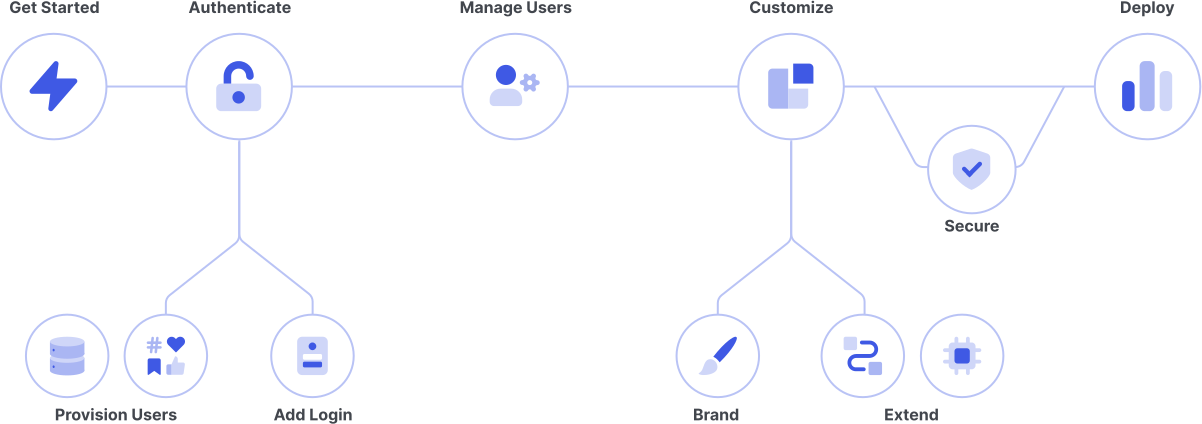
<AuthDocsPipeline activeId="authenticate" />

In authentication, a user or application proves they are who they say they are by providing valid credentials. The most common verification is password, often combined with other methods, such as a fingerprint.

Auth0 simplifies the use of open industry standards like OAuth 2.0, OIDC, and SAML to authenticate. Users can log into your applications with social media credentials, corporate accounts, and a broad range of other credentials.

***

## Add Login

##### Implement Auth0 Universal Login (or an alternative) to control access to your applications.

<Card title="Login" href="/docs/authenticate/login">
  Choose from a variety of user login options.
</Card>

<Card title="Single Sign-On" href="/docs/authenticate/single-sign-on">
  Enable users to log in to one application and automatically authenticate in other applications.
</Card>

<Card title="Passwordless" href="/docs/authenticate/passwordless">
  Let users enter mobile phone numbers or email addresses and receive a one-time code or link to log in without a password.
</Card>

<Card title="Custom Token Exchange" href="/docs/authenticate/custom-token-exchange">
  Learn about Custom Token Exchange Early Access features.
</Card>

***

## Provision Users

##### Source users from social identity providers (such as Facebook or SalesForce), enterprise user stores (such as Active Directory or Google Workspace), a custom database, and more.

<Card title="Identity Providers" href="/docs/authenticate/identity-providers">
  Set up sources of user accounts to authenticate your applications and APIs.
</Card>

<Card title="Database Connections" href="/docs/authenticate/database-connections">
  Authenticate users with an email/username and password and save their credentials in an Auth0-provided user store or in your own database.
</Card>

<Card title="Enterprise Connections" href="/docs/authenticate/enterprise-connections">
  Authenticate users with external, federated identity providers such as Azure AD, Google Workspace, and PingFederate.
</Card>

<Card title="Protocols" href="/docs/authenticate/protocols">
  Easily implement open industry-standard protocols like OAuth 2.0, SAML, and LDAP for authentication and authorization.
</Card>

<Card title="Connection Settings Best Practices" href="/docs/authenticate/connection-settings-best-practices">
  Review best practices when configuring social and database connections.
</Card>
